AirPods Pro 3 - One Month Later, I've Changed My Mind...
* Indicates author is a member of MAGIC
Meeting information
Date
21 January 2026
Time
4:00 - 5:00 p.m.
Presentation:
• Introduction with Mike Turnbull
• "Can we Talk" with Gary McIntyre
Location:
by Zoom online
MAGIC Minutes for December 2025
by Wendy Shimada, Secretary
There was no meeting in December
MAGIC Musings
Happy (another) New Near MAGIC members,
My family is now consumed with Apple upgrades. First, an M4 iMac desktop and now an M3 iPad upgrade (from a 3rd generation iPad). There is no longer a physical home button on an iPad. Fix this, I was told. Thank goodness for YouTube how to videos. The floating button is an improvement it seems.
Now our MAGIC Meeting is January 21st and Gary will be giving an updated version of "Can We Talk" regarding using Siri and other voice command programs. A presentation I am looking forward to.
The next meeting in February meeting will be on the 18th.
Cheers,
Mike
MAGIC President
Note: This Software Update section of the newsletter lists the most relevant Apple updates. Not all updates are listed for all products. Additionally, I'll add other pertinent updates on occasion.
Apple Updates
by Ron Sharp, MAGIC
Here is the list of Apple latest updates. These all became available in December, with no new updates for 2026 yet. Check your device under "Settings, General, Software update." Install the update if you don't have the latest. Also, it's easy to forget about devices like Apple TV and Air Pods, but they get updates occasionally too.
iOS 26.2 and iPadOS 26.2
12 Dec 2025
iOS 18.7.3 and iPadOS 18.7.3
12 Dec 2025
macOS Tahoe 26.2
12 Dec 2025
macOS Sequoia 15.7.3
12 Dec 2025
macOS Sonoma 14.8.3
12 Dec 2025
tvOS 26.2
12 Dec 2025
watchOS 26.2
12 Dec 2025
visionOS 26.2
12 Dec 2025
Safari 26.2
Master AirDrop: Your ultimate guide to seamless file sharing on iPhone, iPad and Mac
by D Griffin Jones, cultofmac
If you want to know the fastest and easiest way to send someone photos, videos, files and so, so much more, you should know how to AirDrop. There's no need to send an iMessage — Apple's slick AirDrop feature will immediately send and open the content on someone else's iPhone (or other Apple device). There's no middle step.
AirDrop works iPhone-to-iPhone, iPhone-to-Mac, iPhone-to-iPad, Vision Pro-to-Mac — any combination and permutation of two Apple devices. And, if your friend has a Google Pixel 10, you can AirDrop with them, too!
Keep reading to find out everything you need to know about how to take advantage of AirDrop.
Apple Support's new generative AI assistant is being tested by a small audience
by Amber Neely, appleinsider
Apple's new AI-powered Support Assistant hasn't officially launched for everyone, but some users are able to test an early preview.
In July, we learned that there was a strong likelihood that Apple would soon launch a ChatGPT-style AI assistant for Apple Support. Now, it appears to be all but confirmed, thanks to a newly unearthed page titled "Support Assistant Terms of Use."
The page, spotted by MacRumors, confirms that the seemingly yet-unreleased Apple Support feature uses generative models. It also says that the feature is for technical support only.
It also outlines the rules that users automatically opt into upon using the Support Assistant — chiefly, that you understand the risks associated with using generative AI.
"You understand and agree that generative models may occasionally generate incorrect, misleading, incomplete, offensive, or harmful outputs," a paragraph in the Services subsection reads. "To the extent you choose to use Support Assistant, you do so at your own initiative and are responsible for compliance with any applicable laws."
As previously mentioned — it appears that the Support Assistant has not launched yet. However, as the terms of use page was last updated on July 15, we anticipate its launch will be imminent.
August 5, 1:15 pm ET: Some users have reported spotting the new Support Assistant already within the Apple Support app. This feature is currently not available to all users.
To check if you have it, you'll need to download the Apple Support app. If you're one of the chosen few, there will be a dedicated "Chat" button added to the bottom.
Tapping the button will launch the Support Assistant and allow you to ask questions to the new generative AI assistant. It can currently tackle questions relating to Apple products and services, troubleshoot problems with devices, and answer questions about device features.
In the event that it cannot answer your question, you'll have the option to escalate to a chat with Apple's support staff.
Dell admits that PC buyers don't actually care about AI
by Ryan Christoffel, 9to5mac
Dave James at PC Gamer published an article yesterday featuring quotes from Dell about its latest PC offerings.
The company's CES messaging this year brought a stark shift from last year's AI-focused approach. And there's good reason for that.
Here's Dell's head of product, Kevin Terwilliger, with the explanation:
"what we've learned over the course of this year, especially from a consumer perspective, is they're not buying based on AI," Terwilliger says bluntly. "In fact I think AI probably confuses them more than it helps them understand a specific outcome."
Terwilliger clarifies that Dell isn't abandoning its AI efforts altogether, it has simply realized that marketing AI all the time isn't helping sell PCs. In fact, it might even be doing the opposite.
9to5Mac's Take
Most of the non-techie people in my life have little interest in AI, so Dell's confession isn't actually surprising to me. Among people I know, I'd say AI provokes more skepticism and fear than genuine excitement.
Dell, like Apple and other tech companies, has to market its products to several different audiences. The general consumer should be a big part of that focus, but tech early adopters are another, and Wall Street is a key player too. And for years, those latter two audiences have rewarded companies for pushing the AI narrative. I wonder if Dell's about-face is only the start of a shifting AI narrative heading into the year ahead.
iOS 26 gave screenshots a hidden power I've started using a lot
by Ryan Christoffel, 9to5mac
iOS 26 brings visual intelligence to screenshots, enabling several new features. But there's one I only recently discovered that solves the common problem of plain text URLs you can't easily tap to open.
iOS 26 can turn plain text URLs into tappable links via screenshots
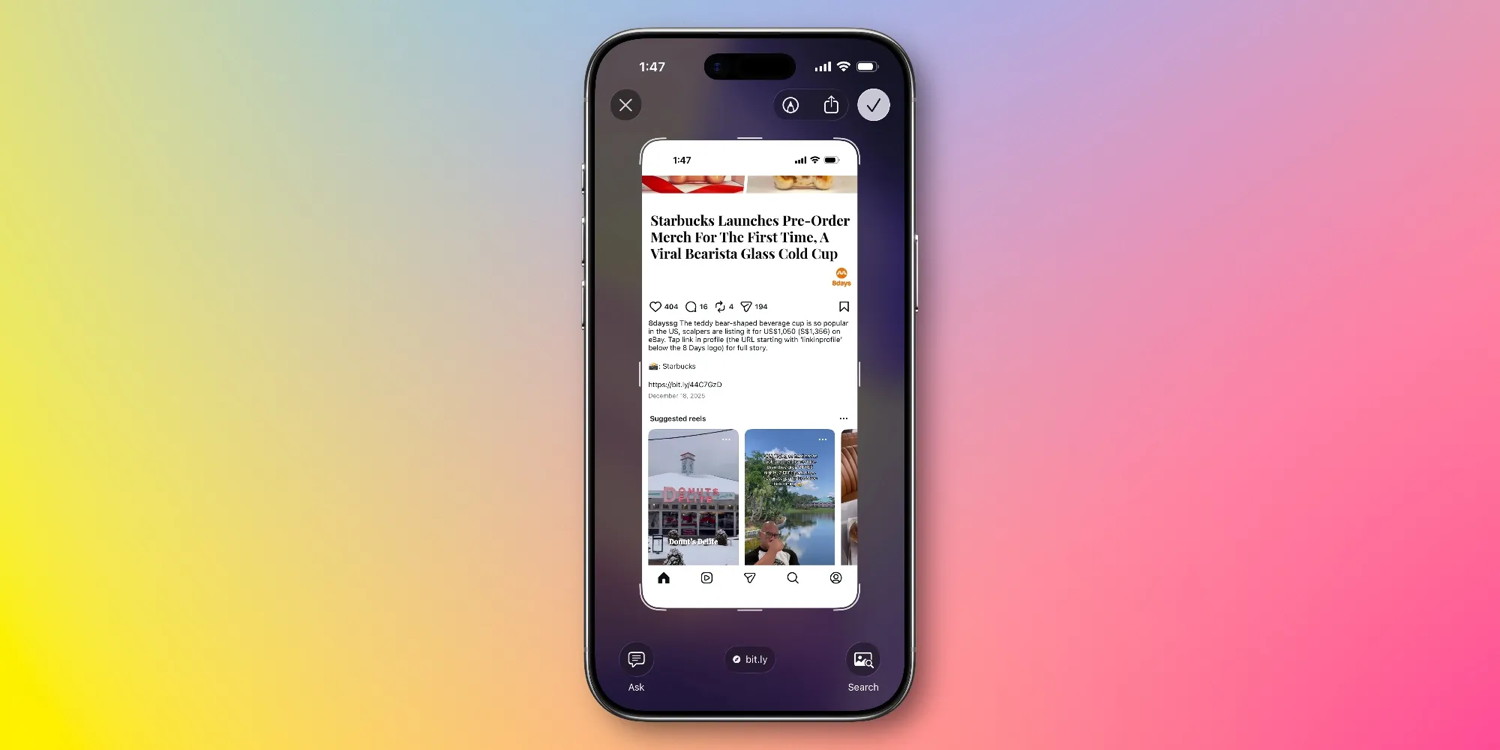
Have you ever encountered a URL online that you wanted to open, but it's in plain text with no easy way to copy/paste?
For me, this commonly happens when browsing Instagram. Since the social network doesn't allow hyperlinks in captions or replies, you'll typically see one of two things:
"Link in profile"
or a plain text URL that's inconvenient to use
The latter has become less common in the last couple years, but I still encounter it on a regular basis.
And in iOS 26, Apple has added a very convenient solution.
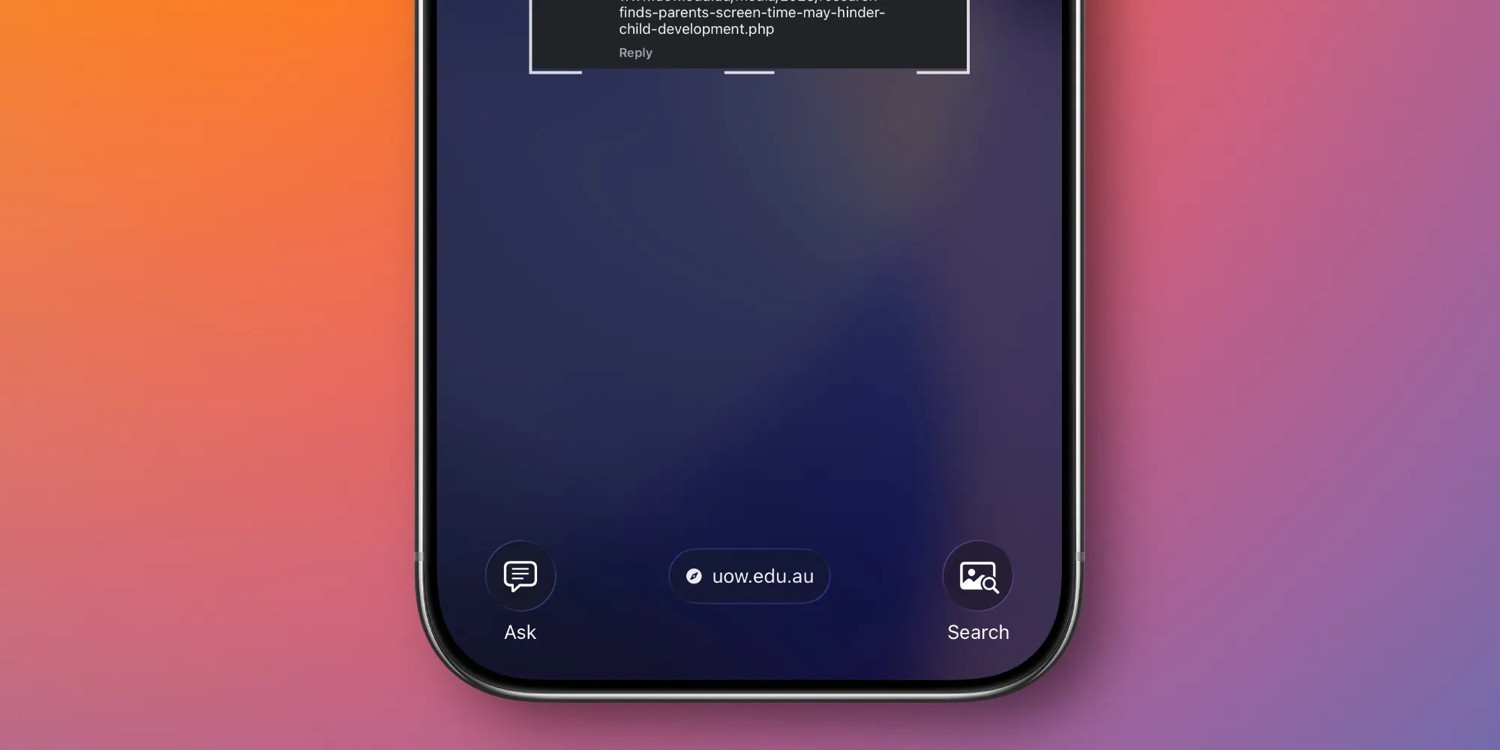
Take a screenshot, and thanks to Apple's new visual intelligence AI feature, your iPhone will provide a hyperlinked version of the URL that you can open with one tap.
iOS 26 uses AI to detect the URL in your screenshot, then at the bottom of the screen provides a tappable link for your convenience.
To benefit from this feature, you need an AI-compatible iPhone like an iPhone 17, iPhone 16, or an iPhone 15 Pro.
By default, screenshots in iOS 26 take you straight to the fullscreen UI where you'll see this link at the bottom.
But if you've opted to revert to the iOS 18 behavior of screenshots only appearing as a small thumbnail in the bottom-left corner, you'll need to first tap that thumbnail to load the fullscreen view.
Six new Apple products will launch early this year, here's what's coming
by Ryan Christoffel, 9to5mac
Apple has a big year of 20+ product launches ahead, including six new products that are rumored to arrive in the next few months. Here's what's coming.
MacBook Pro 14-inch and 16-inch with M5 Pro and Max
Last fall, Apple launched its new M5 chip in three products: MacBook Pro, iPad Pro, and Vision Pro.
But the new chip didn't yet offer Pro or Max versions, and the only MacBook Pro that received it was the 14-inch model.
Reporting indicates Apple will launch 14-inch and 16-inch MacBook Pros with M5 Pro and M5 Max early in 2026.
Back in January 2023, Apple debuted M2 Pro and M2 Max versions of the MacBook Pro. We could see similar timing with the M5 launches.
New 12.9-inch MacBook
For years, analysts have called on Apple to release a low-cost MacBook that might better compete against Chromebooks and more affordable PCs. This year, it seems that may finally happen.
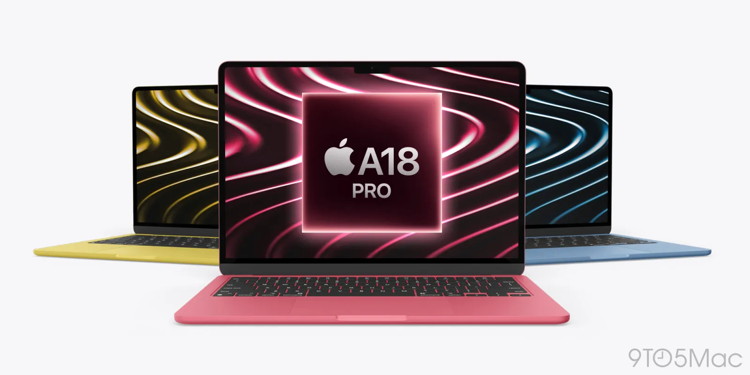
Apple is reportedly preparing a 12.9-inch MacBook that will run an iPhone-class A18 Pro chip and come in a variety of fun colors. Perhaps the best feature will be a rumored price of $599 or $699.
A
Analyst Jeff Pu is expecting the MacBook to ship in "mid-Q1 2026."
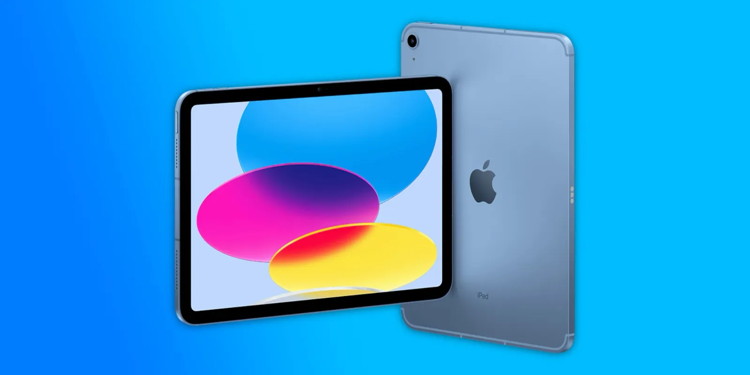
iPad with A18 chip
Last year, Apple's base model iPad got a spec bump update with an A16 Bionic chip.
But in the coming months, the next iPad is expected to launch with an A18 chip that will enable Apple Intelligence support.
Not much else is known about the new iPad. But it's generally expected to retain the same design, with updates being primarily internal.
iPhone 17e
Apple has one more iPhone 17 model in the works, and it's expected to launch very early in 2026.
Last February, Apple unveiled a new member of the iPhone family. The expected iPhone SE revision was actually branded iPhone 16e. Rumors later indicated Apple intends to update the 'e' model annually.
iPhone 17e will pack the same A19 chip as the iPhone 17, and the new Center Stage front camera too. It's also rumored to have a pair of design changes: the Dynamic Island instead of a notch, and thinner bezels. MagSafe support is coming too.
Like iPhone 16e, Apple's new budget model will likely cost $599 and still offer only one rear camera.
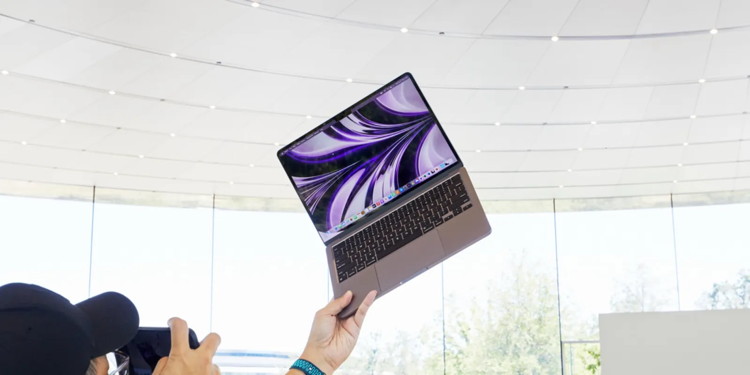
M5 MacBook Air
Another new MacBook is coming early this year: the M5 MacBook Air.
Very little is known about the update so far, other than it offering the same 13-inch and 15-inch sizes as the M4 model. No design changes are expected either.
Like Apple's other M5 products so far, the MacBook Air will likely be light on changes besides the M5 chip itself and perhaps some smaller additional improvements.
M4 iPad Air
If you want the best possible iPad, the M5 iPad Pro is an excellent option. But lots of users would be well off choosing the much more affordable iPad Air.
Rumors indicate Apple has an M4 iPad Air launching in the months ahead. There's reportedly an OLED iPad Air in the works, but it likely won't launch until next year.
Instead, expect the M4 model to offer more power and likely new colors, but not much else different.
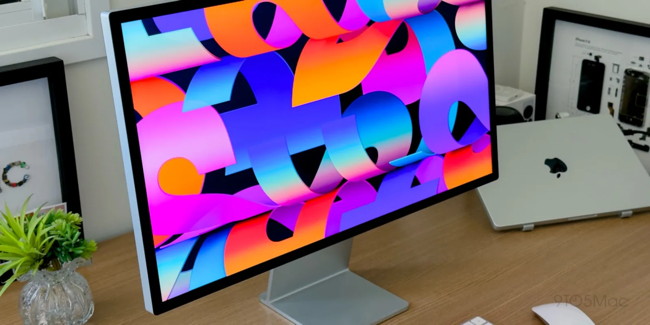
Wildcard: New Apple Studio Display
Apple's Studio Display: Is it still worth buying?
All of the above products are expected to launch in the months ahead. But there's another that might debut soon too: a new Apple Studio Display.
The new Studio Display is rumored to add 120Hz ProMotion support with HDR, an A19 chip, and likely a new Center Stage camera. Since Apple doesn't update its Mac displays very often, we could see some big changes.
Apple confirms Chase takeover for Apple Card and reveals new details
by Chance Miller, 9to5mac
Apple has confirmed that Chase will become the new issuer of Apple Card, taking over for Goldman Sachs. Apple says the transition will occur "in approximately 24 months."
"During this transition, Apple Card users can continue to use their card as they normally do," Apple says. "Additional details regarding the transition will be shared with all Apple Card users as the transition date approaches."
Apple announced the news in a press release, following a report from The Wall Street Journal earlier today. Here's Jennifer Bailey, Apple's vice president of Apple Pay and Apple Wallet:
"We're incredibly proud of how Apple Card has transformed the credit card experience for customers by delivering innovative tools that empower users to make healthier financial decisions. Chase shares our commitment to innovation and delivering products and services that enhance consumers' lives. We look forward to working together to continue to provide a best-in-class experience and exceptional customer service with Apple Card."
Apple has also published a new page on its website with answers to frequently asked questions about Apple Card's transition to Chase.
Here are some tidbits:
Existing Apple Card users do not need to reapply.
You will continue to earn up to 3 percent unlimited Daily Cash back on every purchase.
Mastercard will continue to be the payment network.
You should continue to pay your balance as you do today. Once the transition is complete, Apple Card balances for open accounts will be with Chase.
You will continue to have access to Savings.
Further information regarding Savings will be communicated as the transition date approaches.
You can continue to manage your Apple Card account in the Wallet app.
You can continue to use your existing physical Apple Card as normal.
Any changes or additional information regarding new physical cards will be shared as the transition date approaches.
You can continue to purchase Apple products with Apple Card Monthly Installments when you choose to check out with ACMI at Apple Store locations, apple.com, and the Apple Store app.
Apple Card will continue to have no fees: no annual fees, no late fees, no foreign transaction fees.
Once the transition takes place, your credit reports will update to show Chase as the new issuing bank of Apple Card.
As of right now, Apple says there is nothing Apple Card users need to do to complete the migration to Chase. "Any changes or additional details will be shared directly with Apple Card users as the transition date approaches," Apple says.
iOS 26 gave Apple Music three of my favorite new features in years
by Ryan Christoffel, 9to5mac
Apple Music took a big leap forward this year in iOS 26, adding a bunch of new features, three of which have quickly become some of my favorite additions in years.
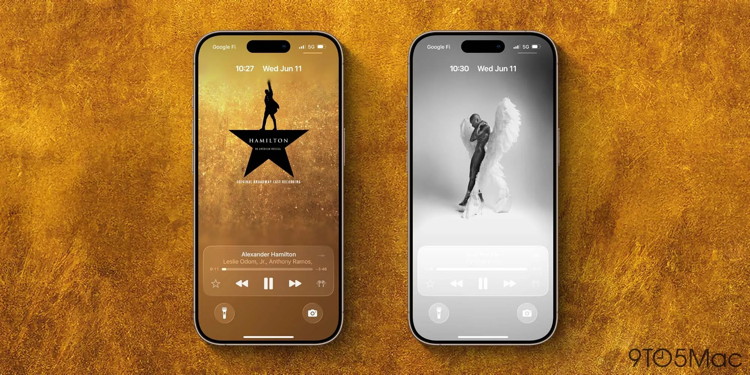
#1: Fullscreen animated Lock Screen artwork
Apple Music has long experimented with making album art come to life on your iPhone. But in iOS 26, that work has now been applied to the Lock Screen too.
I'm a fan of all of Apple Music's animated album art and playlist art. But when I'm listening to music, I almost never keep the Music app active on screen. Instead, I'm using other apps or my iPhone is locked.
Now, fullscreen animated artwork can be enjoyed right from the Lock Screen.
This feature is at its best when you have an iPhone with an always-on display. You get to see a beautiful, edge-to-edge representation of the artwork then watch it come to life when your display wakes.
Not every album or playlist in Apple Music's library gets the animated treatment, but quite a lot do. And even without the animation, I love the new fullscreen look.
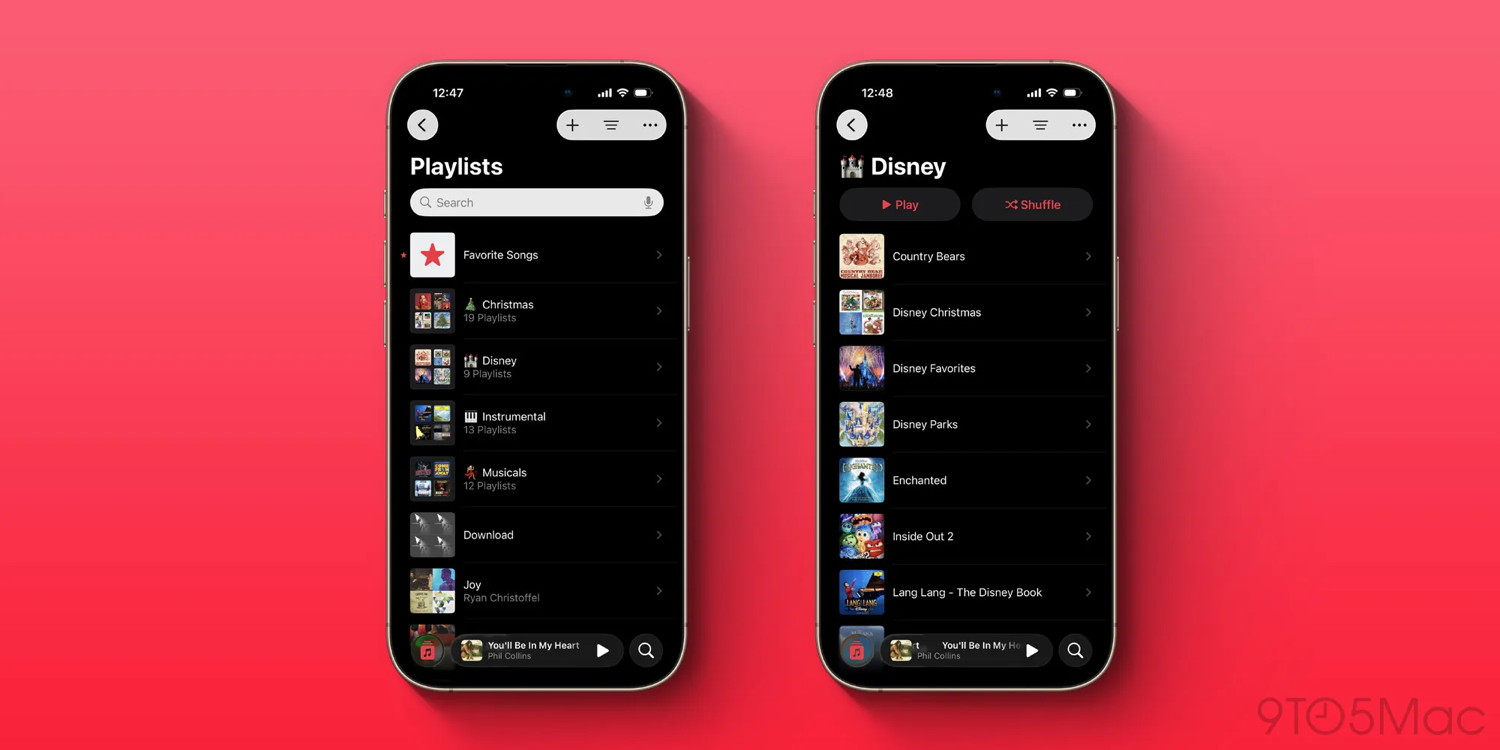
#2: Playlist folders
On the Mac, a relic of the iTunes era has long let you create folders for your Apple Music playlists that then sync over to your other devices. But previously, you couldn't edit or manage playlists anywhere but the Mac.
I love organizing my playlists into folders, but I spend most of my time on iPad and iPhone, not the Mac. And the limitation of needing a Mac has meant I previously used folders less than I otherwise would.
But in iOS 26, Apple has brought full folder support to playlists across iPhone and iPad too.
Now, I can create new folders, move playlists between folders, and edit and manage existing folders right from the devices I use most. I honestly never thought this feature would come to iPhone, but I'm so glad it's finally here.
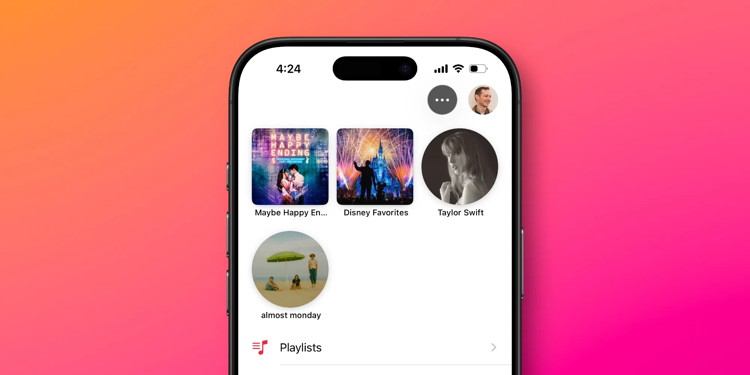
#3: Pinned music in Library
Easily one of my standout new features not only in Apple Music, but iOS 26 overall, is pinned music inside the Library.
The vast majority of the time, Library is my go-to tab in the Music app. And now with pins, I can keep up to six albums, playlists, artists, or songs pinned to the top for convenient access.
After more than half a year using iOS 26, I still strongly wish Apple would bump the pin limit up from six. Nine pins would match what the Messages app offers for pinned conversations, and feel a lot less restrictive.
Regardless, pins have become my most-used part of the Music app—and I particularly love that you can change the default behavior when you tap a pinned title.
Maybe other users go to the Home or New tabs most often to play music, but for me, it's always been Library. And pinned music makes the Library better than ever.
Apple Music is available for $10.99/month for individuals, or you can get it as part of the Apple One bundle.
Here's every iOS 26 setting I changed on my iPhone right away
by Ryan Christoffel, 9to5mac
iOS 26 and its subsequent updates have brought a lot of new ways to customize your iPhone in the Settings app. Here are the new iOS 26 settings I changed on my iPhone right away.
Always On Display's wallpaper photo blur
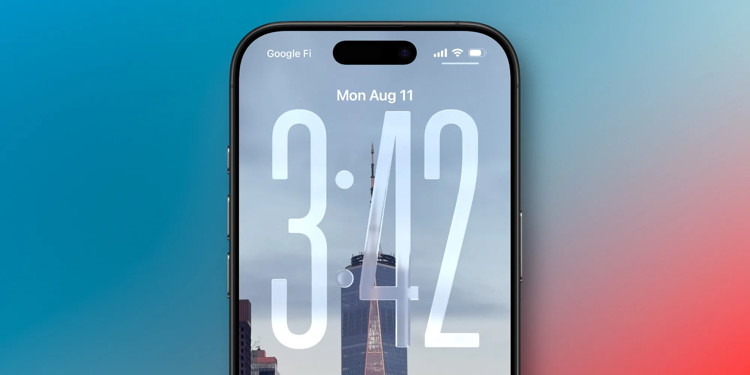
The iPhone's Always On Display got an unusual change in iOS 26.
By default, iOS now blurs your wallpaper photo in Always On mode, presumably so the new Liquid Glass clock can pop more—or perhaps to conserve battery?
Seeing photos on my Lock Screen has long been one of my favorite features of the Always On Display. The blurred look might work for some, but I'm pretty surprised that Apple changed the default behavior.
Fortunately, there's an easy fix. You can go to Settings ⇾ Display & Brightness ⇾ Always On Display and switch off the 'Blur Wallpaper Photo' toggle.
This reverts the Always On Display's behavior to exactly what it was in iOS 18.
Camera swipe from the Lock Screen
For years, the iPhone has let users quickly open the Camera app by swiping left on the Lock Screen.
I suspect for many users, this is still their preferred way to open Camera. But in recent years, Apple has continually expanded the number of options available. You can now open Camera via the dedicated Camera Control button, or the Action button, or the control in the bottom-right of the screen.
Since the iPhone 16 launched, I've used Camera Control for all of my camera launches. The swipe gesture is now only ever invoked by accident.
As of iOS 26.1, Apple finally lets users disable the Lock Screen swipe.
Just go to Settings ⇾ Camera and scroll down near the bottom, where you'll see 'Lock Screen Swipe to Open Camera.'
Turn off the toggle, and you'll never accidentally swipe to open Camera again.
Adaptive Power mode
The iPhone has long offered Low Power Mode as a key tool to conserve battery life. But the feature drastically reduces performance in a number of ways, making it ideal only for very limited uses.
In iOS 26 though, there's a new Adaptive Power option for all Apple Intelligence-compatible devices.
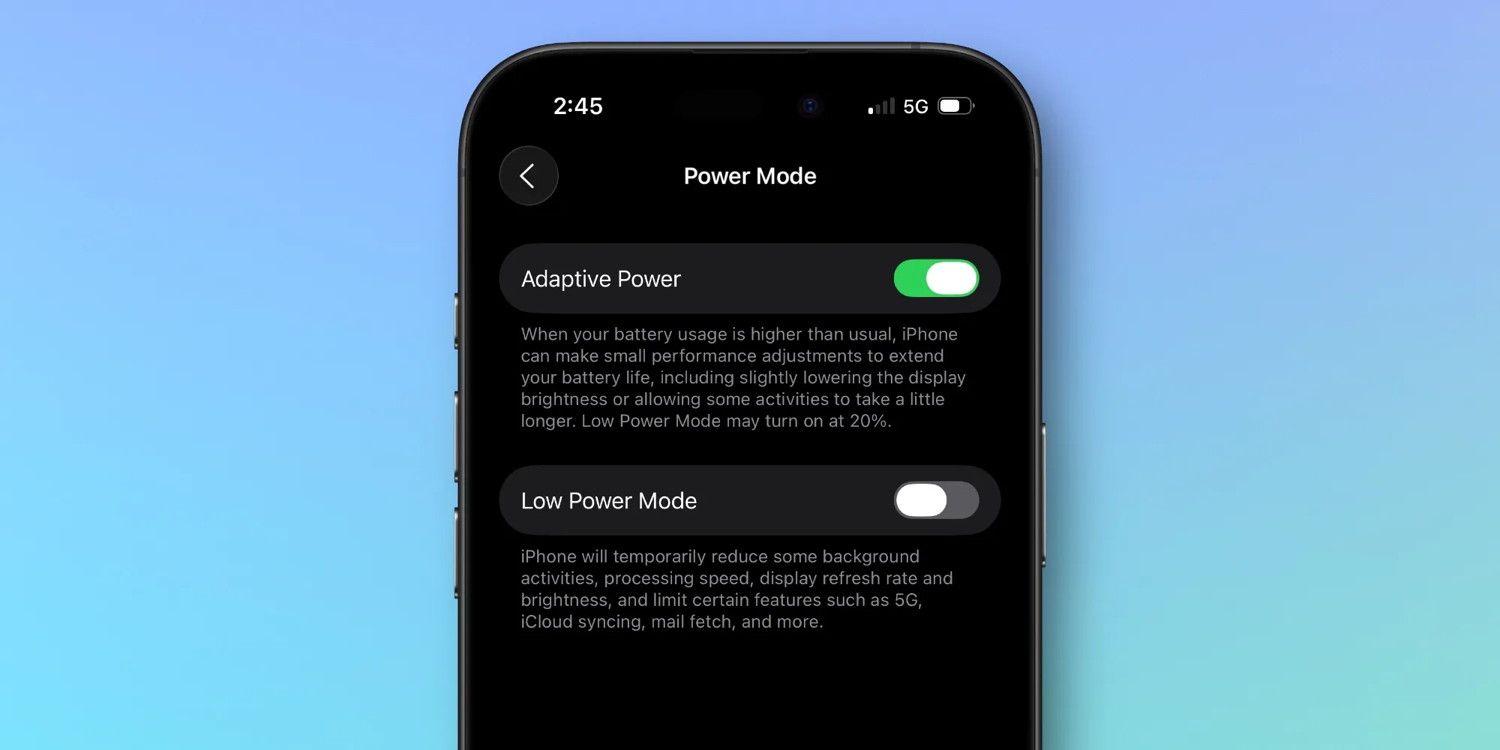
Here's what it does, per Apple's description in Settings:
When your battery usage is higher than usual, iPhone can extend your battery life by making performance adjustments, such as lowering display brightness, allowing some activities to take longer, or turning on Low Power Mode at 20%.
You can find the new feature inside Settings ⇾ Battery ⇾ Power Mode ⇾ Adaptive Power.
I turned Adaptive Power on and have only rarely seen it get activated. But that's by design. Unlike Low Power Mode, which kicks in immediately, Adaptive Power will only trigger when it detects your battery usage is unusually high on a given day.
In that scenario, small changes will be made to conserve energy without impacting performance too much. You can optionally enable notifications whenever Adaptive Power kicks in.
In my view, Adaptive Power is a nice-to-have that comes with no downsides, since it only activates when I actually need it to, and even then minimally so.
AirPods sleep detection
iOS 26 brought a variety of new AirPods features, including one I turned on right away: sleep detection for pausing media.
I don't fall asleep wearing my AirPods very often, but when it happens, it's always a hassle trying to find the last spot in my audiobook or podcast that I actually heard.
But inside AirPods' settings in iOS 26, there's a new toggle: 'Pause Media When Falling Asleep.'
Apple says this "helps pause media on inactivity for users who utilize AirPods to wind down for sleep."
It's available on AirPods Pro 3, AirPods Pro 2, and AirPods 4, and can come in handy if you tend to nod off while listening to a book or podcast.
US passport support in Apple Wallet is a hugely important step
by Ben Lovejoy, 9to5mac
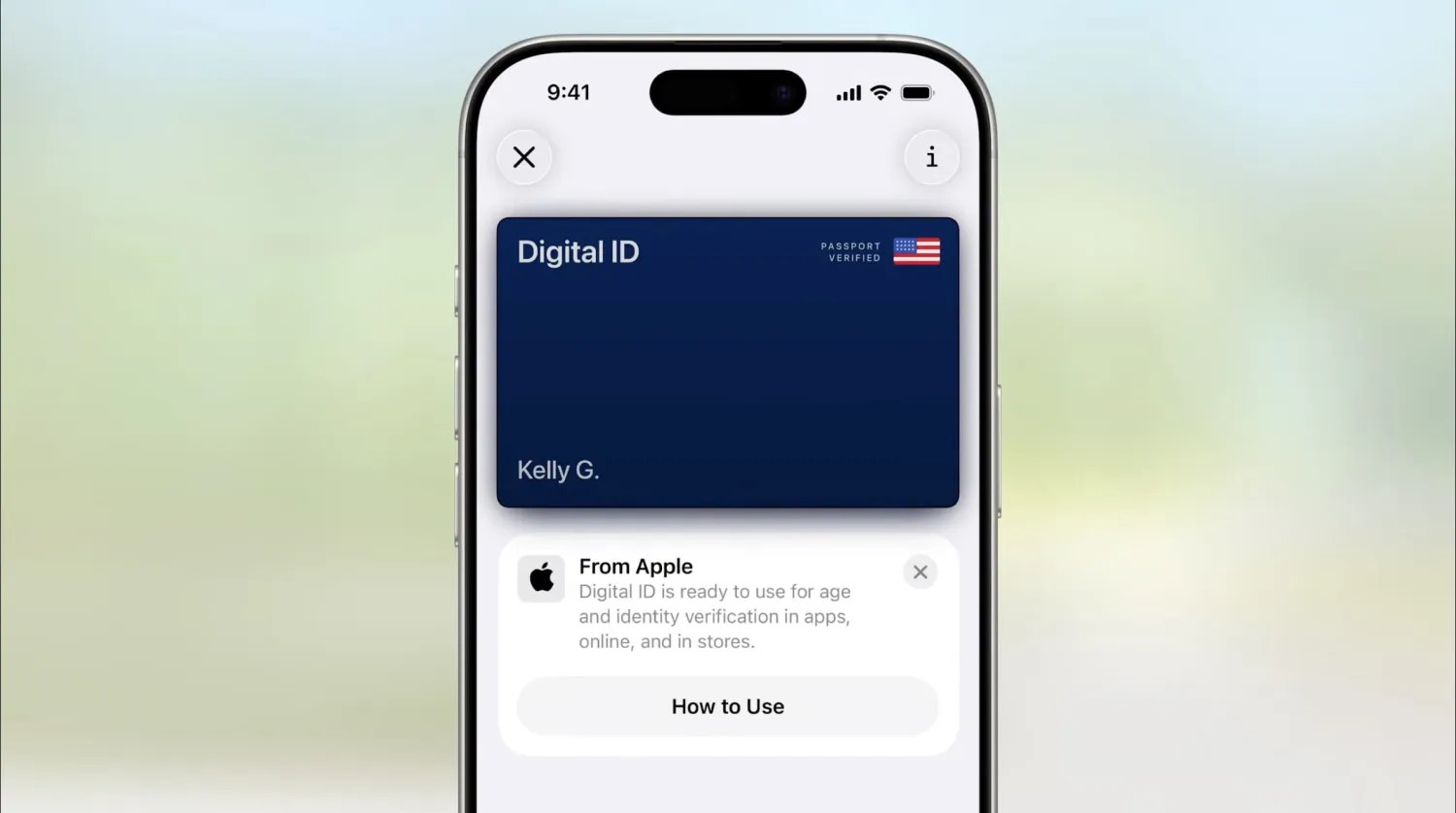
We learned back at WWDC25 that US passport support would be coming to Apple Wallet. It hasn't yet arrived in iOS 26, but the company yesterday confirmed that it is on the way.
An update to the Apple website last month told us to expect it by the end of the year, and Apple's VP of Apple Pay and Apple Wallet, Jennifer Bailey, confirmed in a conference keynote that it is still happening …
How US passport support will work
US passport support will work in much the same way as making an Apple Pay transaction. You'll be invited to tap your iPhone to a reader and your digital passport information will be transmitted by NFC in the same way as your card details when making a payment. The secure protocol used allows the TSA system to verify that your passport details are genuine.
It's important to understand what you will and won't be able to do with your digital passport. In particular, you will not be able to use it to travel internationally: that will still require your physical passport. The primary function will be to confirm your identity at TSA checkpoints for domestic flights.
As always, there is important small-print, with Apple saying that the option to present digital passports will be available only at "select TSA checkpoints." We don't yet know which airports will offer support, but based on past rollouts of other digital travel initiatives, we can likely expect the option to be restricted to a relatively small number of airports at launch.
Privacy concerns
Some have expressed concerns that this requires you to unlock your iPhone, making the contents potentially available for inspection.
This is not the case. Exactly as with Apple Pay, Face ID only unlocks the ability of the Apple Wallet app to transmit details to the terminal; it doesn't unlock the phone itself.
But the argument is largely irrelevant anyway. The rights that government officials do or don't have to inspect the contents of your phone are determined by law, not by the technicalities of this type of feature.
Moving toward a digital future
An eventual future where we can travel internationally carrying only our iPhone for passport and visa purposes would be a huge benefit.
A physical passport is an incredibly valuable possession, and there is a ready market for stolen ones – US passports in particular. That means we are traveling with something people are very motivated to steal, which can be particularly problematic when visiting countries which require us to carry our passport on us. Even where this is not a legal requirement, there are often major tourist attractions such as observation decks in tall buildings which require a passport for proof of identity when entering.
The security features present in today's passports make them much harder to tamper with than was the case in the past, but it's still very much easier for a forger to start with a genuine passport than to try to create a fake from scratch. A US passport modified by a forger is very unlikely to be successfully used for international travel, but it can be used for a variety of other purposes, such as opening fraudulent bank accounts and applying for government benefits.
A digital passport would be massively more secure since it would be protected by Face ID or Touch ID. An eventual future where we no longer need to carry either a physical wallet or passport also means that we have just a single possession to safeguard when wandering around a foreign city, rather than multiple ones.
Security concerns aside, it's also just undeniably more convenient to have a single thing we need to carry with us when traveling – when my iPhone is my wallet, passport, visa, and any other identity document I might require.
I got a small taste of this when I was able to obtain my Irish citizenship after Brexit, thanks to having had the foresight to choose a grandfather born in Ireland. Like the US, Ireland offers the option of a passport card as well as a passport book. Also like the US, the card can only be used for limited forms of travel, but it can be used for all EU countries. Being able to carry this in my MagSafe wallet and not have to carry a bulky passport when travelling in Europe feels almost like cheating the system!
A small step, but an important one
The very limited support for the feature means that it's not a big step in itself, as noted above. It's US only. It can't be used for international travel. It won't be accepted at all airports.
However, I do think it is an important first step in the direction of global support for digital passports. Once people get to experience the convenience and peace of mind, I think it will create demand for wider support. Initially, for widespread acceptance across all US airports for domestic travel, but I think it will also lead people to want to be able to use a digital passport internationally. Politicians around the world will hopefully take note.
To be clear, I don't think this is going to happen anytime soon. The EU, for example, has been talking about digital passports for a great many years and still hasn't made any significant progress. If I were placing a bet, I suspect we're looking at a decade or more before we can travel with digital passports to even a limited number of countries.
But we've already seen how this can play out. Apple Pay was hugely influential in the rollout of contactless payments in the US, a country which had largely ignored the technology previously despite its popularity in Europe.
Give people a digital payment card in their iPhone and they start demanding that retailers accept it. Give people a digital passport and I think we will see a similar phenomenon, albeit one that will progress at a more glacial pace given the need to convince governments rather than profit-motivated companies. Apple will bring this future significantly closer.
Your iPhone battery can last longer with this new iOS 26 feature
by Ryan Christoffel, 9to5mac
Battery life is easily one of the iPhone's most important features. Whether you own an ultra-thin iPhone Air, battery beast iPhone 17 Pro Max, or some other model, iOS 26 recently introduced a new feature that can make your iPhone's battery last longer: Adaptive Power.
Adaptive Power is a new iOS 26 setting to extend battery life
If your iPhone battery is getting low, iOS has long offered Low Power Mode as a helpful tool.
While I've heard of some users keeping Low Power Mode on all the time, that's a pretty extreme option to stretch your iPhone's battery life.
iOS 26 has a much more moderate solution.
Adaptive Power is a brand new battery setting that can ensure your iPhone lasts longer—particularly on the high-usage days.
You can find it inside the Settings app's Battery menu under 'Power Mode.'
Unlike Low Power Mode, which deactivates lots of features and noticeably degrades your experience, Adaptive Power is all about making small battery gains with minimal impact on performance.
Here's how Apple describes it:
When your battery usage is higher than usual, iPhone can make small performance adjustments to extend your battery life, including slightly lowering the display brightness or allowing some activities to take a little longer. Low Power Mode may turn on at 20%.
Essentially, on a "normal use" day, your iPhone's battery and performance won't necessarily be altered at all.
But when you're using your iPhone more than usual, Adaptive Power will kick in and make minor adjustments to help stretch your battery longer.
One caveat: even though Apple doesn't market Adaptive Power as an AI feature, it technically has the same requirements as Apple Intelligence.
That means you'll need an iPhone 17 or iPhone Air, iPhone 16, or an iPhone 15 Pro to use it.
The iPhone Air 2 seems likely to be way more successful
by Ryan Christoffel, 9to5mac
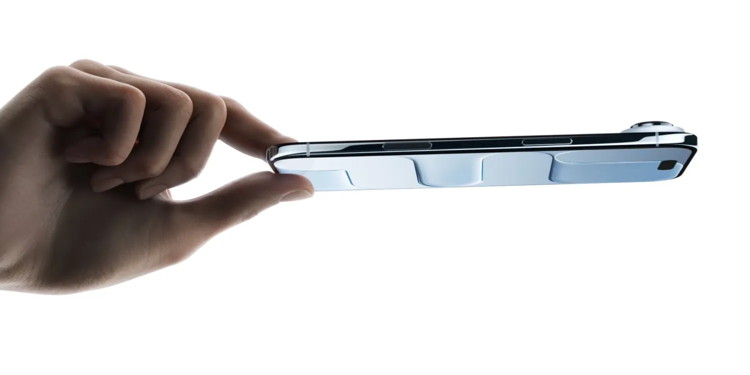
The iPhone Air appears to have been one of the least successful iPhones ever, but it seems that hasn't discouraged Apple from trying again in 2027 with an iPhone Air 2.
The latest report suggests that the company may fix the two biggest problems with the device, and if accurate, I would expect the 2nd-gen model to be significantly more popular …
This year's iPhone Air
Almost immediately after launch, it was noted that the iPhone Air remained available for immediate delivery long after the iPhone 17 Pro was backordered.
A series of follow-up reports all seemed to confirm low demand for the model. One said that Apple's manufacturing orders had been slashed to almost end of production levels, while a subsequent one said that production of the device had ceased altogether.
With Samsung seemingly faring no better with its Galaxy S25 Edge, other brands were said to have cancelled their own plans for an ultra-slim form factor.
The two problems
The issue appears to be not that there is no interest in an ultra-sleek smartphone, but rather that people are not willing to pay a high price for a device which involves significant compromise.
In the case of the iPhone Air, having just a single camera is a significant drawback compared to the dual cameras of the base model iPhone 17 and the triple camera setup of the iPhone 17 Pro.
The issue was exacerbated by the pricing. The iPhone Air is $200 more than the iPhone 17, and only $100 cheaper than the iPhone 17 Pro. The majority of those who might have been tempted by the device were likely to have upsold or downsold themselves once they saw the pricing.
The iPhone Air 2 may reportedly solve both
Yesterday's report in The Information said that Apple is currently looking at both issues.
Apple is going back to the drawing board and redesigning the iPhone Air because of the first model's poor sales. It's considering adding a second camera and cutting the retail price to make the device more attractive to consumers.
The report was far from definitive, merely saying that the company was considering both moves. If that does indeed turn out to be the case, however, then I would expect the 2027 model to be a popular choice for many.
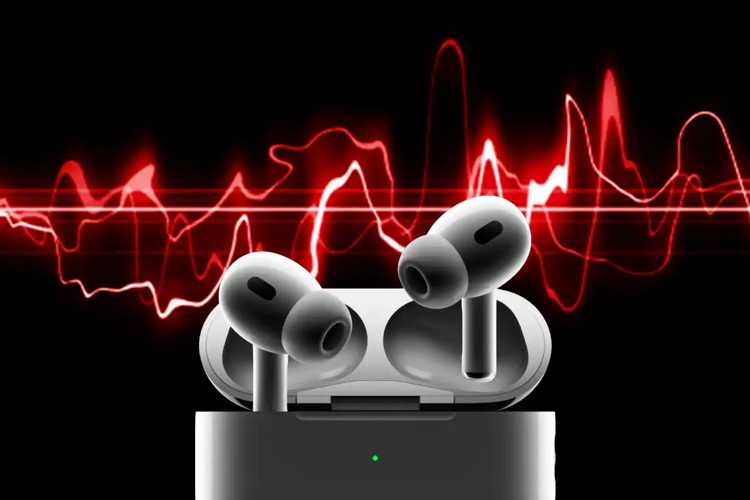
These expert AirPods Pro tips will take your earbuds to eleven
by Mohmoud Itani, macworld
The AirPods Pro 3 are Apple's most feature-rich earbuds, offering advanced tools and settings to fine-tune users' everyday listening experience. From touch and pressure sensitivity to health monitoring and immersive audio output, the latest AirPods are jam-packed with futuristic technology, despite their miniature design.
The AirPods Pro 3 are highly customizable, letting you control the stem behavior, audio output, charging habits, and much more. While the default preferences work well for most users, there are some settings you may want to adjust to better suit your life.
It's worth noting that some of these options are exclusive to the AirPods Pro 3, while others also work with other select models, such as the AirPods 4 and Pro 2.
Apple TV has just set the release date for its next movie, Eternity, which hails from A24 and originally debuted in theaters late last year.
Eternity comes to Apple TV on Friday, February 13
Apple TV has officially scheduled its Valentine's Day film for 2026. Following The Gorge's successful mid-February debut last year, this year Apple has the A24 film Eternity coming.
Eternity will premiere Friday, February 13 on Apple TV for all subscribers.
The film stars Elizabeth Olsen, Miles Teller, and Callum Turner in a high-concept romantic comedy that was well-received by critics and viewers alike.
Here's Apple's official summary, followed by the trailer:
In an afterlife where souls have one week to decide where to spend eternity, Joan (Elizabeth Olsen) is faced with the impossible choice between the man she spent her life with (Miles Teller) and her first love (Callum Turner), who died young and has waited decades for her to arrive.
Eternity is a unique addition for Apple, since it had a theatrical run but wasn't billed as an Apple film at the time. Instead, all the marketing was A24-focused.
The only wide theatrical release Apple put its name on last year was F1, which turned into the company's biggest theatrical hit to date.
Change these 3 hidden Apple TV settings and thank us later
by D Griffin Jones, cultofmac
There are three Apple TV settings I always tell people to change as soon as they set theirs up. While I heartily recommend the Apple TV over the clunky and ad-infested experience of Roku and other smart TVs, it's not perfect. You'll want to change a few things to make it right.
First of all, you can put one of the Siri Remote buttons to better use. The TV button, by default, opens the Apple TV app — but you can have it take you to the Home Screen instead. Also, you'll want to change the Home Screen to show your Continue Watching list, not its recommendations. And finally, you can turn off those annoying Apple TV sports notifications to stop the interruptions while you're watching your shows.
NOT-Microsoft support: "Hello. This is Bob Bobson from Microsoft Support. We are seeing a lot of virus activity from your device."
Me: "Oh no. My device? Are you sure?"
NOT-Microsoft support: "Oh yes, we have many reports."
Me: "Oh jeez. How can I fix it?">
NOT-Microsoft support: "It's OK sir. We can help you right now. Are you in front of your device sir?"
Me: "Yes. I was just about to use it. I'm glad you called."
NOT-Microsoft support: "Yes sir, we are going to help you. Can you please push the Start button?"
Me: "I think it's already on."
NOT-Microsoft support: "Okay, sir. Now you want to click on Control Panel."
Me: "I don't see that."
NOT-Microsoft support: "Do you see a bunch of information above the Start button?"
Me: "Yes."
NOT-Microsoft support: "That is your Control Panel."
Me: "Wow, I didn't realize it had a name."
NOT-Microsoft support: "Yes sir, now press on Internet Options."
Me: "Yeah, I definitely don't see any Internet options. I don't think I purchased that feature. This is just a cheap one."
NOT-Microsoft support: "They all have the Internet sir. Press the Start button again."
Me: "OK, it's the same as before."
NOT-Microsoft support: "That's OK sir. We are going to restart your device. Can you please turn it off?"
Me: "Ummm…I don't know how. I've never turned it off. Since I bought it, it just kind of stays on all the time."
NOT-Microsoft support: "There must be an off button on your device. How do you stop it when it's running?"
Me: "In those cases, I usually press the big button."
NOT-Microsoft support: "OK sir. Please press that button."
Me: "Ok."
NOT-Microsoft support: "Is your device off?"
Me: "No. The door popped open."
NOT-Microsoft support: "Door? Is there a disc inside the door?"
Me: "No, there's a burrito."
NOT-Microsoft support: "Why is there a burrito in your computer?"
Me: "Computer? I thought you said this was microwave support."
Malware Examples *
by Ron Sharp and Robert Elphick, MAGIC *
Here are some tips if you do respond to a scam email. Call your bank. Put a stop payment on your charge card if it is involved. Change your account password for whatever accounts are involved. If it's a PayPal account, log into that account and change the password. If you use a bank account online change that password. You can also set up email "rules" to block email from the sender if their email address shows. If you use Apples Mail app you'll find the "Rules" options in the Mail app Settings. You should also change the password to your email account that the scam email came to.
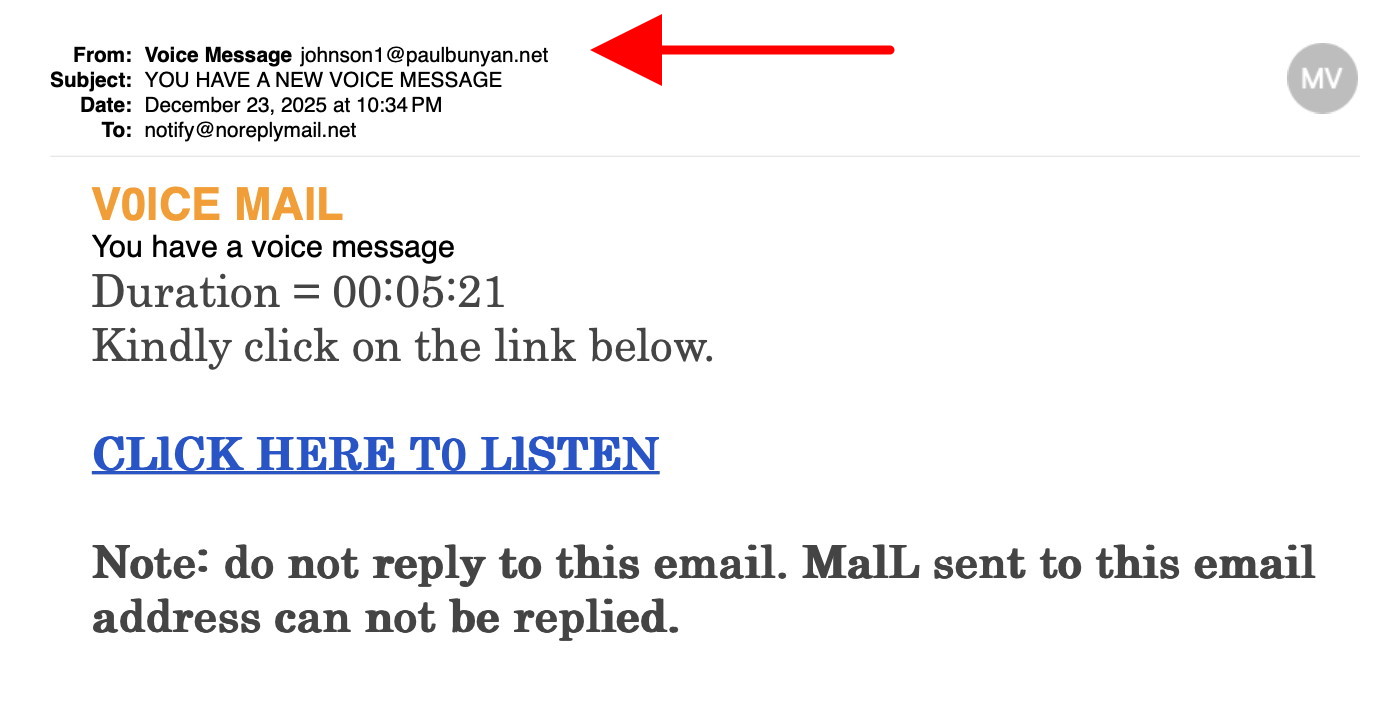
This is NOT from Intuit Note the From (arrowed) DO NOT CONTACT.
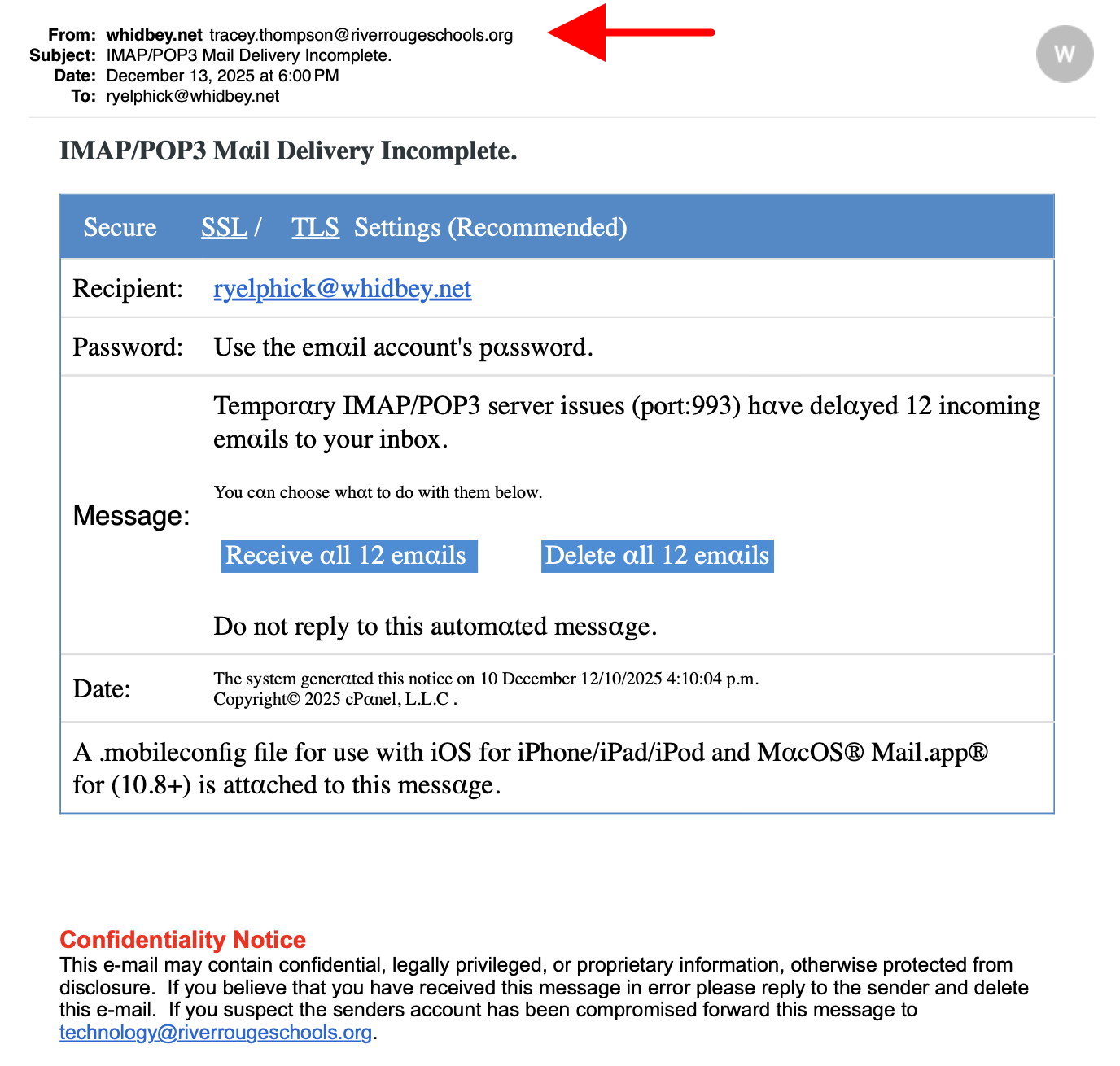
An iPhone email (left) and after clicking on "From" (right) These are NOT from Whidbey Tel They are Phishing to get your personal details DO NOT CONTACT.
SCAM - see the From (arrowed) They are Phishing to get your personal details DO NOT CONTACT.
SCAM - They cannot spell "Whidbey" correctly! (red highlight) DO NOT CONTACT.
Internet Crime
Any one bothered by internet criminal activity should report it to the Federal Bureau of Investigation Internet Crime Complaint Center (IC3) at this web page. This includes phishing, malware, spoofing, any demand for money.
Sell or Swap
by MAGIC
Got something you would like to sell or give away? Need something second hand or out of date? Contact MAGIC at this email .
I know some of you use the Notes application. I use it all the time on the iPhone, but rarely use it on the Mac or my iPad. For me, it's one of the most useful applications on the phone.
Probably the most common use for it is shopping lists. But I use it for so many things. I have folders for health notes, travel notes, plant and garden notes, birthdays, movies and books to remember and more. I even have restaurant list and a folder for random thoughts, kind of like a journal.
Apple has added formatting options and made it easy to add images. Using the Attachment button, you can choose to add a photo or video, or you can take a photo or video and can even add voice memos. I feel it's a great way to extend my memory. And who wouldn't like to enhance their memory?
Oddly enough I never use the Reminders application. It seems redundant. Not to mention you can add reminders in the Calendar application with all the date and time notifications you want.
If you do use the Notes app on more than one device you can also save notes to iCloud. Then you can access notes from all your devices on any of your devices. Really a convenient app.
Welcome to the new year. I hope everyone is feeling good and ready to accelerate their personal computing skills. Well if not ready to accelerate your skills then at least ready to be entertained by computing stories!
And talking about stories, I'm wondering if any of you read my article about iPhone wallpaper in the December newsletter. I know you may not be so interested in what's displayed on your iPhone for background images but you may be interested in how the time display functions and what options are available. Well it's it still on the MAGIC website if you want to pull up the December newsletter.
So on to the next experience or design challenge. What is it that you would like to change on your computer or phone that would be more convenient for you, or maybe even just more aesthetic? Let me know and I'll see what we can come up with.
Maybe you would like to learn more about Apple's Liquid Glass design, or turn it off completely. Or set a default font on your Mail application or set a "Signature" for email responses.
On your iPhone, the screen may turn off quicker than you'd like. That can be annoying, but can be set to different lengths of time. You may want to set a "Hot Corner" on your computer for quick access to a function, or delete a "Hot Corner" that activates unintentionally.
And here's another one that just came to mind, changing the image for a contact on your iPhone. Sometimes you can't get the new portrait to stick. It may be that the image you're trying to change is a "Poster." There are contact card portrait images and background posters. (Along with a number of other settings that are superfluous.)
Got questions? Let me know, I'll write about it, or the MAGIC Wizards may present it in a Zoom meeting, or we'll set up one on one help for you.
MAGIC, the Macintosh Appreciation Group of Island County, serves people who use Macintosh computers, software and peripherals. Our goal is to share information and get answers to questions to make us more productive with our use of technology. Our monthly meetings give us a chance to discuss computer problems and share ideas with other Mac users, feature speakers on specific topics, and to keep apprised of Apple news.