• Introduction with Mike Turnbull
• "WiFi, Bluetooth, and cell service" with Ron Sharp
Location:
by Zoom online
MAGIC Minutes for April 2026
by Wendy Shimada, MAGIC Secretary
At 4:03 p.m. President Mike Turnbull welcomed everyone and called the meeting to order with 12 attendees present within a few moments. Treasurer Carol Heimgartner was not present, so there was no monthly treasurer's report. The meeting was quickly turned over to Robert Elphick, who gave a presentation on Apple Numbers.
After answering a few questions after the presentation, Robert turned the meeting back to Mike, who adjourned the meeting at 5:04 p.m.
Next month's MAGIC Zoom meeting will be July 15. Ron Sharp will be presenting "WiFi, Bluetooth and cell service" followed by the usual Q&A.
Missed the meeting? You can still watch the video tutorial on Safari by either visiting the MAGIC website at www.whidbey.com/magicmug or by just clicking on the MAGIC logo at the top of the monthly newsletter; it is a direct link to the MAGIC website, which offers many excellent tips and tricks, along with instructional video sessions from past meetings.
MAGIC Musings
Hi Magic Members,
This month, Ron will be sharing some insights on WiFi, Bluetooth, and cell service. We'll be meeting via Zoom on Wednesday, July 15th, at 4:00 p.m.
I've been using "Calendar" on my old iPhone 12 for a year now, but I found that trying to sync reminders and future reminders was a bit of a mess, cluttering the screen. So, I used Apple Tips to figure out how to delete "Scheduled Reminders" on the phone, which was super easy and really cleared things up.
Next month, we'll be diving into "Notes" on the 19th of August.
Cheers,
Mike
MAGIC President
Note: This Software Update section of the newsletter lists the most relevant Apple updates. Not all updates are listed for all products. Additionally, I'll add other pertinent updates on occasion.
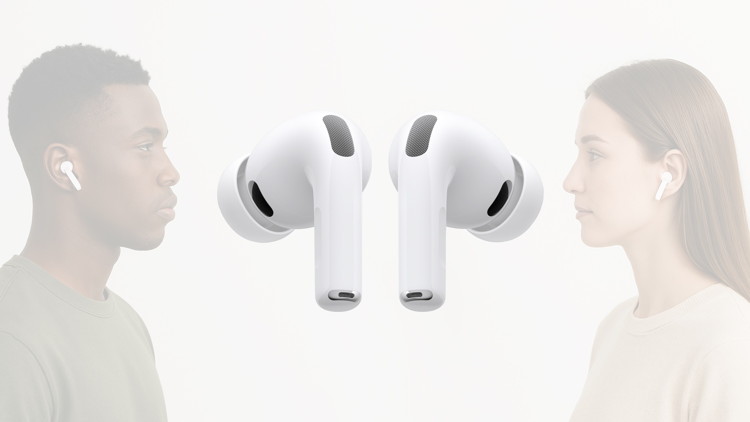
AirPods Pro firmware update fixes bugs — here's how to get it now
by Ed Hardy, cultofmac
Apple released new firmware for AirPods Pro 3 and AirPods Pro 2. The new version, 8B41, offers bug fixes for Apple's high-end earbuds.
Last year, Apple finally explained exactly how to update your AirPods firmware. The process can happen automatically, in the background, but there is a way to speed things up. It's a good idea to manually check that you're running the latest version, which brings bug fixes and sometimes great new features.
Read on for more details, and to find all current AirPods firmware versions along with instructions for getting the AirPods update as quickly as possible.
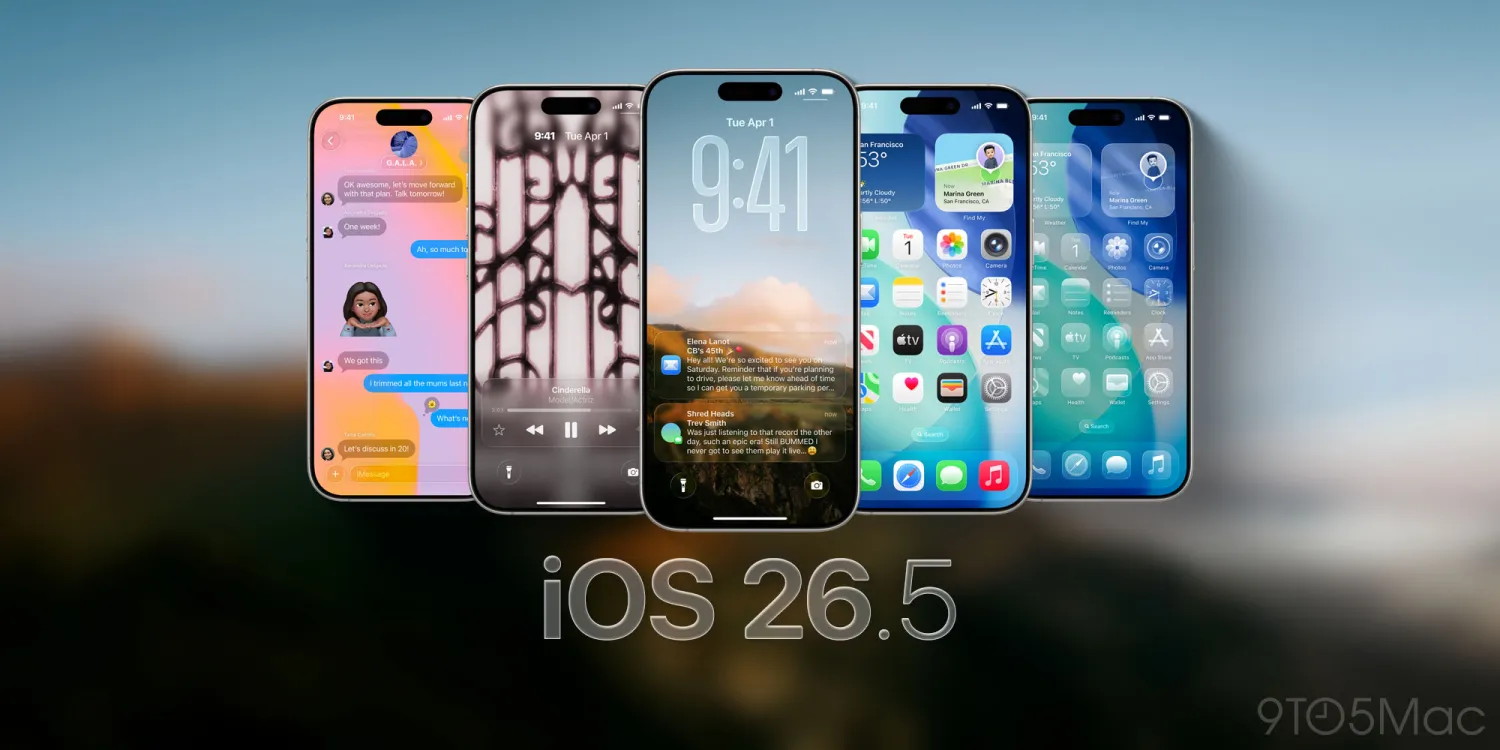
Apple releases iOS 26.5.2 for iPhone, here's what's new
by Ryan Chritoffel, 9to5mac
Apple has just released a new iOS 26.5.2 software update for iPhone users. Here's what's new in the latest release.
iOS 26.5.2 arrives with new security fixes for iPhone
Earlier this month Apple unveiled iOS 27, the next major iPhone software version. But iOS 27 won't launch to all users until this fall.
In the meantime, today brought the latest update to iOS 26.
iOS 26.5.2 is now available on iPhone. It's a minor update for users, with no new features and only a focus on security.
Here are Apple's official release notes:
This update provides security fixes for your iPhone.
That linked website reveals that there are nearly 30 fixes in today's update, most of which involve WebKit and related web technologies. You'll find more details here.
iPadOS 26.5.2 and macOS 26.5.2 were also released today with the same release notes touting "security fixes."
Apple's notes aren't typically comprehensive of every single change, so it's possible this update includes some bug fixes too.
You can install iOS 26.5.2 by opening the Settings app on your iPhone and going to General -> Software Update.
Apple is also currently beta testing iOS 26.6, so at least one more iPhone update is coming before this fall's iOS 27 launch. So far in the beta process, iOS 26.6 seems to contain minimal user-facing changes.
How to import your old passwords into Apple Passwords
by Bon Adamson, appleinsider
Apple Passwords is a secure and safe alternative for those seeking to escape 1Password's latest price hike. Here's what you need to know.
The introduction of iOS 18 and macOS Seqouia has seen the old iCloud Keychain be rolled into the new Apple Passwords app, alongside a few other Apple password management features. If you already use a password manager outside of iCloud Keychain, you'll probably want to import your passwords if you intend on using Apple Passwords.
Do note that Apple's Passwords app is really built for storing login passwords. It does not, as yet, store the items like credit card numbers, software serial numbers, or secure documents, that other password managers too.
Plus there is a problem with importing your passwords into Apple Passwords. If you don't have access to a Mac, it's not going to happen.
Despite the fact that Apple Passwords is available on macOS, iOS, and iPadOS alike, a pre-existing password list can only be imported via the macOS version of the app. If you do own a Mac, though, importing your passwords takes just a few steps.
How to import passwords into Apple Passwords
If you use a password manager already, the first step you'll need to take is downloading your password list from whatever service you use. You'll also need to make sure you download the list as a .csv file, a Comma-Separated Values one.
Once you have the .csv file from your password manager, you only have a few more steps to take.
Open Apple Passwords.
In the Menu Bar, click File.
Under File, click Import Passwords
Click Choose File.
Select the .csv file you downloaded from your password manager.
Once you have the .csv file selected, your passwords will import into Apple Passwords. After the process finishes, Apple Passwords will let you look through any passwords that couldn't be imported.
The Passwords app does not do a great job of explaining exactly why certain passwords have not been imported correctly. All you can do is open your old password manager and manually copy the errant login across.
It's also worth noting that not every password you have will import correctly. You may find some crop up without an email or username attached, so keep your old password manager around for at least a few months in case you have to go back to it.
Once your passwords are imported into Apple Passwords, the last step you ought to take is deleting the .csv file from your old password manager. The .csv file contains all of your passwords in plain text, and it's best not to have that sort of thing around.
It just got more expensive to buy a Mac. In some cases a lot more expensive.
Apple's online store went briefly offline this morning, and when it came back up, prices across most of Apple's product families had increased. Depending on the model, Mac prices rose anywhere from 17% to 33% while iPad prices rose 20-30%. Not even the Apple TV escaped the increases, with the 64GB model's price rising 54%
As Bloomberg reported, the increases, teased by Tim Cook last week, are in effect globally. As Cook explained to the WSJ, the culprit is a global shortage of DRAM and NAND Flash memory, driven in large part by the explosive growth of AI data centers competing for the same chips that go into consumer electronics.
Cook called the increases "unavoidable" and described the memory shortage as a "hundred-year flood," adding, "I've never seen anything like it in any area in over 40 years." He pointed specifically to high-bandwidth memory allocations being diverted to AI servers as a key pressure point: "There's less supply at a time when consumers want devices and the memory guys are passing along huge price increases."
Apple Unveils Siri AI and It's a Whole New Assistant
by Wayne G., OWC
For years, Apple fans have been waiting for Siri to catch up to other voice assistants and, most recently, much more advanced AI chatbots. And, just maybe, with the announcement of the new Siri AI this morning at WWDC 2026, the wait is officially be over.
Siri AI represents a ground-up rebuild of Apple's voice assistant and it was introduced alongside the next generation of Apple Intelligence, bringing a wave of improved AI-powered features to iPhone, iPad, Mac, Apple Watch, and Apple Vision Pro. The features are available to developers today and will roll out to users as a beta later this year, with a full public release this fall. Here's everything you need to know about the new Siri.
A New Siri, Built from the Ground Up
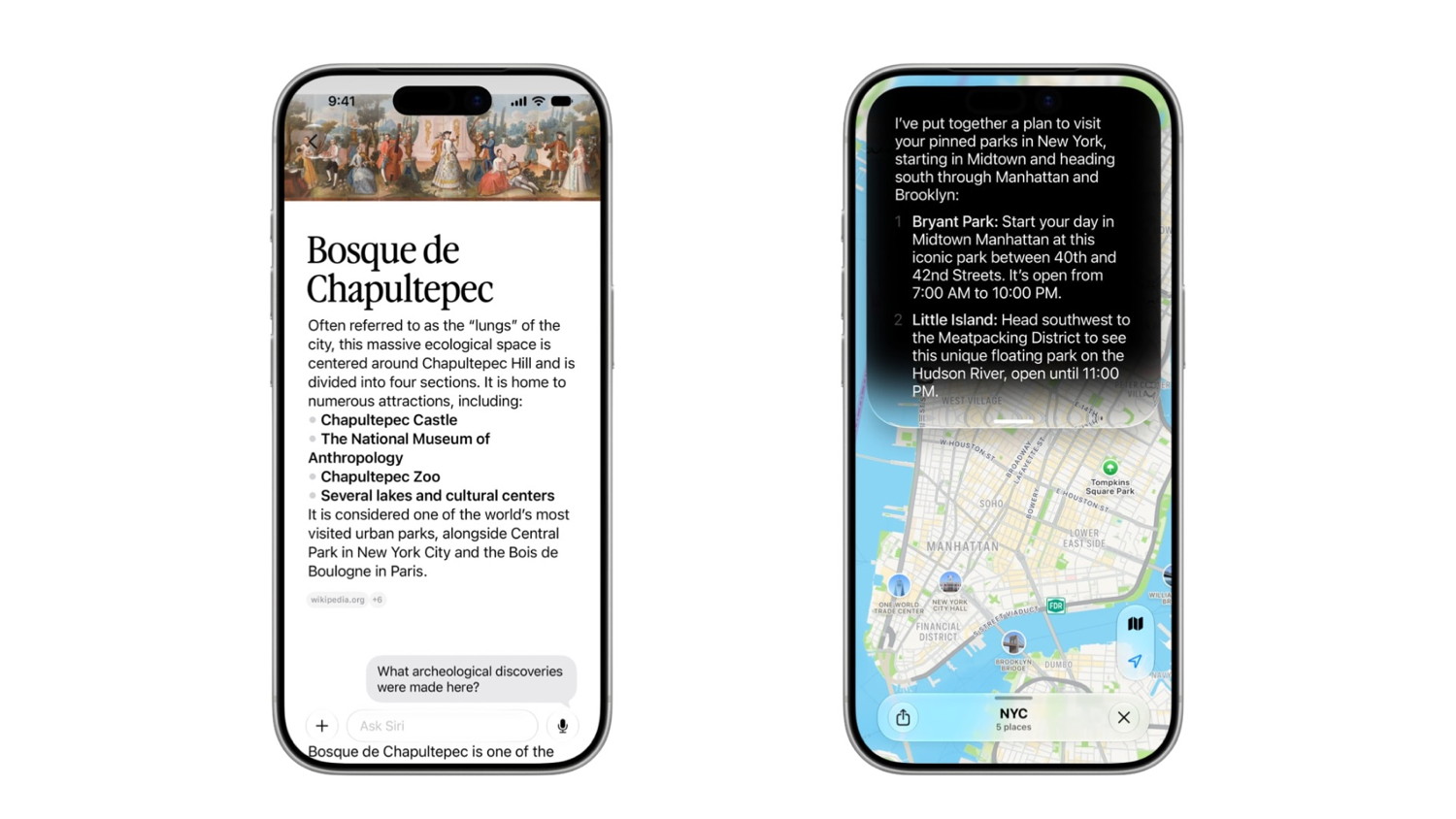
Siri AI isn't an update so much as a replacement for the current languishing Apple assistant. Powered by the next generation of Apple Intelligence and built on new Apple Foundation Models—themselves built atop Google's Gemini model—that run both on-device and through Apple's Private Cloud Compute infrastructure, the new Siri is faster, smarter, and far more capable of understanding context, intent, and what's actually on your screen.
The assistant now draws on personal context understanding to surface information from across your messages, emails, photos, and third-party apps integrated with Spotlight. Ask Siri to find a restaurant recommendation a friend texted you about, dig up a hotel confirmation number from an old email, or pull photos from a recent trip, and it can do all of that without you having to know exactly where to look for the information. Onscreen awareness takes things further: Siri can now see what's in front of you and act on it. Get a text about a potluck? Ask Siri what to bring and have it add a recipe to your Notes app, right there in the conversation.
to deliver. So skepticism around the new Siri will likely remain until it has been tested and found to deliver upon Apple's latest promises.
But beyond personal context, Siri AI also taps into up-to-date information from the web on virtually any topic—upcoming concerts, eclipse dates, local events—and can sustain a real back-and-forth conversation around almost any response.
On iPhone, you can reach Siri by saying "Hey Siri," pressing the side button, or swiping down from the Dynamic Island to start a more in-depth conversation. On iPad and Mac, Siri AI integrates directly into Spotlight and into systemwide context menus, so you can control-click on images, text, or files to ask questions about them. On Apple Vision Pro, Siri gets a 3D visualization you can place anywhere in your space and activate just by looking at it and speaking.
A Dedicated Siri App and Conversation History
One of the most practical new additions is a standalone Siri app that will function similarly to other AI chat apps like ChatGPT or Claude.
It brings together your full conversation history across devices, synced privately through iCloud, so you can start a conversation on your Mac and pick it up on iPhone or Apple Watch without losing the thread. It's hard to imagine Siri AI catching up to the more established chat apps quickly, but having it built into every Apple device is certainly a powerful leg up in doing so.
Visual Intelligence Expands to iPad and Mac
Visual Intelligence—previously an iPhone-only feature tied to the Camera Control button—is now available on iPad and Mac for the first time. On iPad, it's built into the screenshot experience. On Mac, a dedicated keyboard shortcut lets you select anything on your screen and type a question directly to Siri about it. On iPhone, it moves into a dedicated Siri mode in the Camera app, where tapping the shutter button lets Siri see what you're pointing at, identify it, and take relevant actions—including splitting a bill with Apple Cash or getting nutritional information from a photo of your plate.
Apple Vision Pro users can use Visual Intelligence just by looking at something, whether it's content inside an app or a physical object in their environment.
Writing Tools That Know How You Write
Siri AI also delivers improved integrated Writing Tools that now go beyond drafting and editing. When composing in Mail or Messages, Siri learns how you typically communicate with specific recipients: your cadence, your punctuation, and your tone. In crafting responses, Siri mirrors these aspects when drafting on your behalf. If you usually send your manager short bullet points, that's what it will generate. Systemwide automatic proofreading also arrives with iOS 27, quietly catching spelling and grammar issues as you type across the system, including in most third-party apps.
Apple Intelligence Gets Smarter Across Every App
to the apps people use every day.
Photos gets three powerful new editing capabilities: Spatial Reframing lets you adjust the composition of a shot after the fact, shifting perspective as if you'd repositioned the camera; the new Extend tool expands the borders of an image to give subjects more breathing room or straighten a crooked horizon; and the already-useful Clean Up tool gets a major overhaul with better, more realistic infill on complex scenes. AI-edited photos will include a hidden SynthID watermark to identify them as modified.
Safari gains intelligent tab organization, automatically grouping open tabs into topics like travel planning or research. The new Notify Me feature lets you ask Safari to watch a page and alert you when something changes. For instance, a product restocking, a price dropping, registration opening, the announcement of a new product or event. A particularly impressive feature we are excited to try out is the Describe an Extension tool, which lets you generate custom Safari extensions by simply describing what you want them to do.
The Passwords app can now automatically fix weak or compromised credentials, navigating to the relevant sites on your behalf, signing in, and upgrading accounts to stronger passwords with a single tap.
Messages surfaces one-tap suggestions based on your conversation context, including creating reminders, adding notes, or helping you find the right photos to share. In the Phone app, Call Context proactively surfaces relevant information like a flight confirmation number or a reservation code from your emails when you call a business. Calendar can now create and modify events from a plain-language description. And Shortcuts gets a long-overdue boost with Describe a Shortcut, which builds an automation from your description and adjusts it when you ask.
A Privacy Architecture Built for What's Being Asked of It
Apple is emphatic that all of this comes without compromising user privacy. Siri AI uses a layered processing model: simple tasks run entirely on-device, more complex ones route through Private Cloud Compute where user data is never stored and can be verified by outside experts. Apple says the system reaches further out only when necessary. The new Apple Foundation Models were custom-built in collaboration with Google's Gemini models, but the privacy architecture wrapping them is entirely Apple's own.
When Can You Get It?
Developer betas for iOS 27, iPadOS 27, macOS 27, and visionOS 27 are available today through the Apple Developer Program. A public beta follows next month.
Siri AI will be available to users as a beta later this year, with broad rollout this fall for supported devices: iPhone 15 Pro, iPhone 15 Pro Max, iPhone 16 or later, iPad with M1 or later, Mac with M1 or later, and Apple Vision Pro. Note that Siri AI will not be available in the EU on iOS and iPadOS at launch due to ongoing regulatory considerations under the Digital Markets Act.
Incoming CEO John Ternus insists that design 'is core to what we do at Apple,' but wants to make a 'firm imprint on the team.'
David Price
In summary:
Macworld reports that incoming Apple CEO John Ternus plans a major design shake-up to restore the team's influence and core importance.
Apple's design team has faced significant challenges under Tim Cook's operations-focused leadership, including employee defections and reduced organizational influence.
Ternus aims to find strong design leadership and re-establish design as Apple's central priority, potentially revitalizing the company's innovative product development approach.
Apple working with supplier Tata after sensitive files leak online
by Marcus Mendes, 9to5mac
A new report from Reuters details how Apple and its Indian supplier, Tata Electronics, are responding to a massive data breach that exposed sensitive files earlier this month. Here are the details.
/p>
Tata and Apple investigate data breach
A few days ago, Tata Electronics confirmed that it fell victim to a cyberattack that, as reported by Reuters, stole confidential files from Apple and Tesla.
According to the report, more than 200,000 files totaling over 630GB were subsequently published on the dark web.
Reuters says the leak included Apple manufacturing specifications, quality inspection standards for iPhone circuit board components, emails, employee passport copies, and years of system logs.
Now, Reuters reports that Tata has moved to restrict "internal access to sensitive systems" as it investigates the leak, and has hired "a global consultant to conduct a forensic audit."
Apple's main supplier in India has also notified the local government and affected clients, though it did not publicly identify the companies involved.
In the report, Reuters notes that Apple is now also involved in the investigations:
Apple's security team is working closely with Tata on near- and long-term measures following the incident, the person added.
With more information now at hand, the report says that "the leak also contains at least 16 files and folders of purported documents from Taiwan Semiconductor Manufacturing Co (TSMC), and 23 from Qualcomm, both of which make parts used in iPhones."
From today's report:
One 2022 document, marked "TSMC Secret," contained purported "product reliability test" details of a TSMC component with photographs. An "Apple Silicon Engineering Group" document from 2023 maps Apple parts numbers to TSMC's numbers, with details of Apple employees in the document's revision history.
A purported Qualcomm document from 2021 shows mechanical information on the functioning of a power management integrated circuit with drawings, watermarked "Confidential - May Contain Trade Secrets."
Apple will launch 15+ new products this fall, here's what's coming
by Ryan Christoffel, 9to5mac
It just got more expensive to buy a Mac. In some cases a lot more expensive.
Apple has a packed lineup of product launches coming this fall, including new iPhones, Macs, iPads, and more. Here's every new Apple product rumored to arrive later this year.
AiPhone 18 family, including the first Ultra model
AApple's flagship iPhone 18 lineup will go ultra-premium this fall, dropping the base model
iPhone 18 that's rumored to arrive in early 2027 instead.
iPhone 18 Pro: Variable aperture camera, unique new color, smaller Dynamic Island, more
iPhone 18 Pro Max: All of the above
iPhone Ultra: Apple's first ever foldable iPhone
Apple Watch Ultra 4 and Apple Watch Series 12
Apple is rumored to launch two new Apple Watch models this year: Apple Watch Ultra 4 and Apple Watch Series 12.
Apple Watch Ultra 4: New health sensors, design updates, and more
Apple Watch Series 12: Minimal rumors so far
MacBook Ultra, new M6 MacBook Pro, and M5 Mac Studio, more
It's a big year for the Mac, with MacBook Neo and new MacBook Pro and MacBook Air models recently launched. Soon, Apple's desktops are due for updates ahead of more high-end MacBook introductions.
M5 Mac mini: M5 and M5 Pro versions with minimal other changes
M5 Mac Studio: M5 Max and also a brand new M5 Ultra chip
M5 iMac: Newly refreshed color options
M6 MacBook Pro: Refresh for the entry-level MacBook Pro with M6
MacBook Ultra: New high-end model with OLED display, touch support, and more
New iPad and iPad mini
A new iPad Air arrived earlier this year, but two more iPads are expected to launch before 2026 ends: an iPad mini with OLED and a new base-model iPad.
New iPad mini: OLED display and upgraded chip
Base iPad: A18 chip for Apple Intelligence support
Apple Home products
Apple has big plans to expand its Home product line, but it's reportedly been waiting on Siri AI to arrive first. Here's the lineup of new products in the pipeline.
New Apple TV 4K: Upgraded A17 Pro chip, Apple Intelligence, maybe built-in camera
HomePad / HomePod Touch: New product with 7-inch touch screen, magnetic base attachments
HomePod 3: Upgraded full-size HomePod with new chip for Apple Intelligence
HomePod mini 2: New chip, audio improvements, and more
Apple Security Camera: First-party smart home accessory with HomeKit Secure Video
Apple Video Doorbell: Face ID could power integration with smart locks
Here's how the AirPods' heart rate sensor fares against Apple Watch and other wearables
by Marcus Mendes, 9to5mac
One of the flagship additions to the AirPods Pro 3 was a built-in heart-rate sensor, which allows users to track more than 50 workout types. But how accurate is it?
AirPods heart rate sensor outperforms most wearables tested
In an interesting test, CNET Labs (via MacMagazine) put the AirPods Pro 3 up against the Apple Watch Series 11, Garmin Venu 4, Google Pixel Watch 4, Samsung Galaxy Watch 8, and Amazfit Bip 6.
Every device was compared against the Polar H10 chest strap, which CNET describes as its gold standard for consumer heart-rate tracking. For each test, CNET's Vanessa Orellana ran four laps around the same college track, covering 1 mile in total, while varying the intensity of each lap to capture readings across different heart-rate zones.
Orellana had previously tested the Apple Watch Series 11, recording a 0.98% average error rate compared to the Polar chest strap and an average heart rate difference of 1.40 BPM.
Interestingly, both figures improved this time around, dropping to 0.63% and 0.89 BPM, respectively. That comfortably put the Apple Watch Series 11 at the top of the list, with readings closer to the Polar chest strap than any of the other devices tested.
The AirPods Pro 3 came in second, with an average heart-rate difference of 2.02 BPM and an average error rate of 1.23%. In other words, they proved more accurate than every non-Apple wearable tested, though Orellana had to run the course three times to capture a complete data set. (The first attempt inexplicably failed to record the full workout, while the second ended when a sprinkler droplet hit the stop button on her iPhone.)
Here's Orellana on the results:
Whether they're building on the Apple Watch's groundwork, benefiting from their position in the ear, or just using really good sensors (likely all fo te [sic] above), the AirPods can hang. They go head-to-head with the Apple Watch for heart-rate tracking and beat out all the other smartwatches I've tested. If you're already spending $250 on AirPods Pro 3, you don't need to drop another $400 on a watch just for heart-rate data.
To read more about the experiment, including why the ear may be better suited than the wrist for measuring heart rate, the trade-offs of using AirPods instead of a smartwatch during workouts, and how the Garmin Venu 4, Google Pixel Watch 4, Samsung Galaxy Watch 8, and Amazfit Bip 6 performed, follow this link.
I hate AI, but even I can't wait to try these 10 features on my iPhone
by David Price, macworld
In summary:
Macworld highlights 10 compelling iOS 27 features that demonstrate AI's practical benefits, despite the author's general skepticism toward artificial intelligence.
Key updates include customizable Siri voices with adjustable speed and expressiveness, Call Context for displaying relevant information during calls, and enhanced Home app security camera management.
The new AI-powered Passwords app will automatically identify and update compromised login details, while Apple Intelligence will analyze security footage and generate video descriptions for users.
I tested 200+ iOS 27 features and changes, here are 10 of my favorites
by Jeff Benjamin, 9to5mac
I recently explored and tested over 200 new features in the iOS 27 beta, but in this post, I've distilled that list down to 10 of my favorite new features for iPhone. From Journal app writing prompts and section links in Notes, to much-improved 3D buildings in Apple Maps, iOS 27 is packed with awesome new enhancements.
Silo returns next week with three major changes for season 3
by Ryan Christoffel, 9to5mac
Jessica Brown
Silo season 3 premieres next week on Apple TV (watch here), with three major changes coming that have been highlighted in the season's marketing. Spoilers ahead, but only those Apple has already revealed.
Apple Watch Series 11 vs Apple Watch SE 3: Which should you buy?
by Chance Miller, 9to5mac
Apple updated its entire lineup of Apple Watch models last year, introducing the Apple Watch SE 3, Apple Watch Series 11, and Apple Ultra 3. Here's what you need to know about Apple Watch SE 3 vs Apple Watch Series 11.
Both the Apple Watch Series 11 and Apple Watch SE 3 are available at big discounts for Prime Day this week, too.
Eddy Cue says 'better and more' coming to Apple TV
by ben Lovejoy, 9to5mac
Apple Services Head Eddy Cue has said that "better and more" programming is coming to Apple TV after accepting the 2026 Entertainment Person of the Year award at Cannes.
Cue and producer Jerry Bruckheimer had already indicated one of the things we can expect: a sequel to F1 The Movie …
The award was made to Cue for the "world-class content" provided through the Apple TV platform. He responded by saying that the company had never strived to be the most, but rather the best, and that Apple was "just getting started."
A
As TNW reports, Cue said that Apple wants to remain true to that principle while also increasing its output.
The ambition, by his telling, is simple enough to fit on an awards plaque: better, more […] The governing principle, Cue said, is "the best, not the most," which makes the stated goal of "more" a slightly delicate one to hold alongside it.
The piece says Apple actually used its small initial output as a selling point to producers.
Cue recounted convincing Reese Witherspoon and Jennifer Aniston to bring "The Morning Show" to Apple by arguing that a service with no other programming would believe in it more completely than a rival with a deep slate.
The Hollywood Reporter noted that Bruckheimer had been similarly impressed by Apple's response to his F1 movie pitch.
<"We pitched [F1] to nine different exhibitors, studios, and Apple came to us with the most creative way, keeping in theaters, they said, for 45 days," Bruckheimer shared. "But as it turned out, they left it there as long as people were buying tickets, which was really a great experience for audiences. And then it went to streaming and was a big success for them."
Cue said the company responded flexibly to what was happening in real time.
"When you are trying to be the best, you can't have hard and fast rules. You have to be flexible, you have to be able to move quickly."
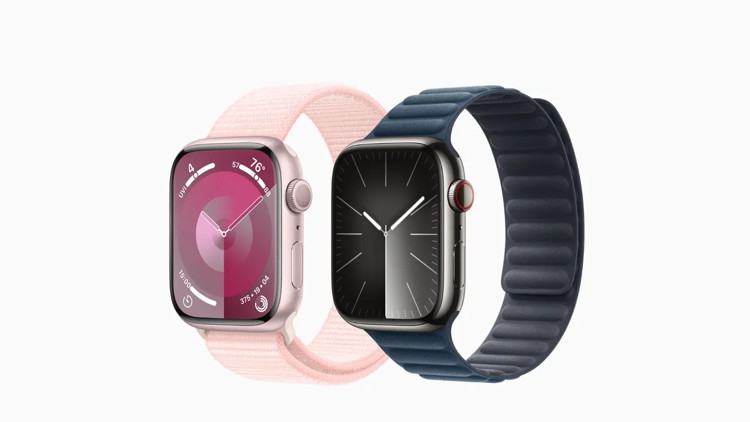
Aluminum vs. Stainless Steel Apple Watch: Which should you buy?
by Stephen Warwick, imore
The choice between an Aluminum and Stainless Steel Apple Watch can be one of the most challenging decisions to make before buying one. Your choice will not only define how Apple's wearable will look on your wrist but also how it will look with the many bands you can pair it with.
Apple Watch Series 9 in Stainless Steel and Aluminum. (Image credit: Apple)
If you're planning to buy an Apple Watch in the near future, we've outlined the main differences below to help you choose between the two models that will be on your wrist for years to come.
From a functionality perspective, there is no difference between th Aluminum and Stainless Steel Apple Watch Series 9 models. Both offer exercise tracking, heart rate monitoring, the new S9 SiP, on-device Siri, the Double Tap gesture, and more. They also both include available storage for onboard music and podcasts, and you can use the same third-party apps on all models. However, there are design differences when it comes to the weight, finish, and display glass used for each model.
Apple TV has five new movies premiering soon, here's what's coming
by Ryan Christoffel, 9to5mac
Apple TV has a strong lineup of shows about to debut, kicking off with tonight's Silo season 3 premiere. But there are five new movies on the Apple TV schedule too, here's what's coming.
What do you call a person who saw an Apple store getting robbed?
An iWitness.
Malware Examples *
by Ron Sharp and Robert Elphick, MAGIC *
Here are some tips if you do respond to a scam email. Call your bank. Put a stop payment on your charge card if it is involved. Change your account password for whatever accounts are involved. If it's a PayPal account, log into that account and change the password. If you use a bank account online change that password. You can also set up email "rules" to block email from the sender if their email address shows. If you use Apples Mail app you'll find the "Rules" options in the Mail app Settings. You should also change the password to your email account that the scam email came to.
From address is not from WhidbeyTel (arrow)
DO NOT RESPOND.
From address is not from WhidbeyTel (arrow)
DO NOT RESPOND.
Internet Crime
Any one bothered by internet criminal activity should report it to the Federal Bureau of Investigation Internet Crime Complaint Center (IC3) at this web page. This includes phishing, malware, spoofing, any demand for money.
Sell or Swap
by MAGIC
Got something you would like to sell or give away? Need something second hand or out of date? Contact MAGIC at this email .
I took a vacation trip. Yay! I also took a lot of pictures. Here's some thoughts for handling all your photos. When you start your trip, create a new folder for each location or destination of your trip. Then when you're looking through the photos send them to the appropriate folder. When you finish your trip all your photos will be in their folders, so no worries trying to decide where or when each photo event was.
Then after you get home and have some time you can go through the photos and edit them. Delete the not so good ones, crop, clean up and adjust the keepers. Remember with the "Clean up" tool available on newer devices you can eliminate people or things that are distracting. It's works great.
Your photos will have the date on them by default. You can also have location information turned on for your photos. I have preferred turning that off, and keeping track of location myself. Although it would have been nice to have on for a busy travel trip.
For my recent trip, I kept 129 photos and deleted 120. Although they'll still be retrievable for 30 days after deleting them. Now I'm ready to show my photos to everyone.
If you end up with way more photos on your phone that you want, you can move them to your Mac computer. One way to do that is to connect your iPhone to your computer with a cable and import phone pictures to the Mac. Then, after disconnecting, you can delete photos from you phone. But check to make sure of your iCloud settings for photos. If you have it turned on then when you delete them from the phone they will delete everywhere. You can turn it off before deleting to make sure they only delete from the phone.
If you don't use iCloud for your photos, (you have photos turned off in your iCloud settings) then another option is to turn iCloud on for photos. Then your new iPhone photos will sync to your Mac. After they are on the Mac, you can turn the photos option off in you iCloud setting. After turning iCloud off on the phone, then you can delete pictures without them being deleted from you Mac .
I subscribe to Apple TV. I have been getting the monthly charge of $12.99, with tax $14.16.
This month I noticed a charge of $107.91 for Apple TV on my credit card. What? …What is that for?
So naturally I contested the charge and they fairly quickly refunded the amount, with no explanation. Later that evening I turn on the TV and see that my Apple TV account has been closed! What?… So I resubscribe to Apple TV and get a second charge of $107.99.
So I called Apple support, although the number I had was for the local Lynwood store. The representative I spoke with had no information that was helpful. I ended with guessing that the monthly charge was changed to a yearly charge without any notice. Thankfully that is a better price, but I'll have to watch my credit card charges to make sure I don't continue to get the monthly charge.
You would think there would be some notice of this change in billing. I'm a fan of Apple and their products, but they can still annoy me! I think the motto of the times is: "Everything Changes."
MAGIC, the Macintosh Appreciation Group of Island County, serves people who use Macintosh computers, software and peripherals. Our goal is to share information and get answers to questions to make us more productive with our use of technology. Our monthly meetings give us a chance to discuss computer problems and share ideas with other Mac users, feature speakers on specific topics, and to keep apprised of Apple news.