
Macintosh Essential Training
May 2019
CONTENTS
Class Schedule
Getting There
Recommended Books
Teachers
Costs
Application Form
Class Schedule
Here is a list of the sessions. Each of them will occur from 1:30 p.m. to 4:30 p.m. These will include formal presentations, time for hands on experience and Q & A. There is no formal text suggested for these classes.
The sessions will all be about Mac OS 10.14 (Mojave), Mac OS 10.13 (High Sierra), and additional comments on earlier operating systems.
Students are strongly encouraged to attend all sessions, bring their own Macs with extension cords and external backup drive, and to ask questions. We will aim at the lowest common denominator as much as possible. If you do not het have a backup drive the please contact the primary teacher ahead of the class for a recommendation of what to buy.
The schedule below is subject to changes.
| Session Date | Class subjects |
|---|---|
| Monday May 20 |
|
| Tuesday May 21 |
|
| Wednesday May 22 |
|
Getting There
The class will be held in the Granary (used to be called the Auditorium) at the Pacific Rim Institute
180 Parker Road
Coupeville, WA 98239
(360) 331-1303
Recommended Books
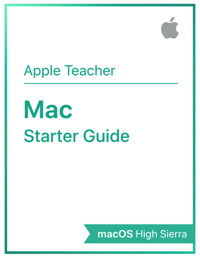
Mac Starter Guide by Apple
This Beginners e-book is designed to run in iBooks and has interactive media as well as easy to understand explanations. It can be downloaded from the Apple bookstore with the link above.
There will probably be a version of this book for Mojave by the time the classes start.
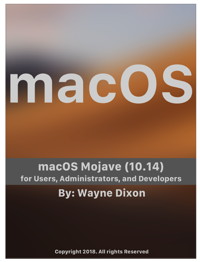
macOS Mojave for users, Administrators, and Developers by Wayne Dixon.
This comprehensive e-book can be downloaded from the Apple iBooks or Book store.
Teachers

Robert Y Elphick - MAGIC President. Robert lives in Coupeville, Whidbey Island. He was educated in Britain with degrees in Applied Physics and Geophysics & Planetary Physics. He has worked in the oil & gas industry and the space industry. He is retired and spends much of his time volunteering with MAGIC, 4-H and other organizations. He has taught many schools on the use of Macintoshes. He usually chairs the Q&A sessions at MAGIC meetings as well as making presentations. He is also a MAGIC Mentor/Wizard. He can be contacted at
Robert will will be assisted by Gary McIntyre and Penny Holland who will help students having problems.
Costs
The cost for taking the Macintosh Essentials classes are as follows:
| Item | Cost |
|---|---|
| Each single session | $20 |
| All sessions (discount) | $45 |
Payment will be needed to secure a place (remember there are limited spaces.) Payment can be made through MAGIC's PayPal account with either a credit card or PayPal accounts using the button that is presented after you submit the form below or by using the donate button on the donation page of this website. Let us know if you need another payment method in the comment section of the application.
Application Form
If you are interested in taking the Macintosh Essential Training classes, please fill out the following form and submit it. We are accepting up to 15 people on a first come, first served basis.
This page last updated 7 March 2019