• Introduction with Mike Turnbull
• "SPAM and other evils" with Robert Elphick
Location:
by Zoom online
MAGIC Minutes for March 2026
by Wendy Shimada, MAGIC Secretary
At 4:03 p.m. President Mike Turnbull welcomed everyone and called the meeting to order with 18 attendees present within a few moments. Mike noted that this month's Presentation is "Notifications on Macs and iPhones” with Ron Sharp. This will be followed by Q&A.
Treasurer Carol Heimgartner gave the monthly report, explaining that after the monthly $30 Whidbey Telecom bill is paid for the website hosting, the bank balance will be $4,301.28. She clarified that our Zoom fee is only an annual fee.
Mike mentioned that there would be a very brief board meeting directly following April's MAGIC monthly meeting then turned the meeting over to Ron Sharp.
Ron then presented a very interesting session on how to change and easily customize your Notification settings on both your Mac and iPhone to serve your own needs.
After the presentation, Ron and Robert answered a few members' questions. As always, today's presentation will be available on the MAGIC website to view again (or for those who could not attend the meeting to view later). Robert briefly walked through the MAGIC website homepage to explain how to quickly get to those monthly presentations by either visiting : www.whidbey.com/magicmug or by just clicking on the MAGIC logo at the top of the monthly newsletter; it is a direct link to the MAGIC website, which offers many excellent tips and tricks, along with instructional video sessions from past meetings.
The meeting was adjourned at 4:58 p.m. after Mike reminded everyone that the next month's Zoom meeting will be on April 15 at 4 p.m.
MAGIC Musings
Hello Magic Members,
Please be advised that our Magic Meeting will be held on April 15th at 4:00 p.m. via Zoom. As today is April 1st, which is a Wednesday, the 15th is approaching rapidly. The Calendar app provides an easy way to track the date. Ron will be providing guidance on utilizing Safari on Macs and iPhones during the meeting. We eagerly anticipate your attendance.
Additionally, the next meeting is scheduled for May 20th.
Mike
MAGIC President
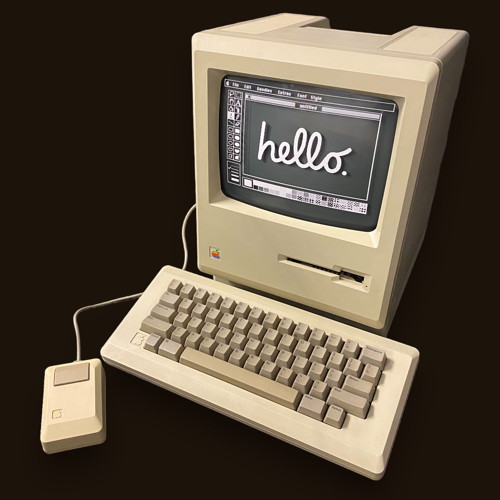
Happy 50th, Apple!
Remember me?
Note: This Software Update section of the newsletter lists the most relevant Apple updates. Not all updates are listed for all products. Additionally, I'll add other pertinent updates on occasion.
macOS 26.4 now available, here's everything new
by Marcus Mendes, 9to5mac
Following a few beta versions (including a new one released today) and a release candidate, Apple is now rolling out macOS 26.4 to all compatible Macs. Here's everything new.
Many new features and a welcome bug fix
macOS 26.4 includes a welcome bug fix that solves the window corner radius problem, where the resize pointer does not follow the window's corner shape. Initially, Apple listed this as a fixed bug, but later updated the release notes to note it as a "known issue." Now, the issue seems to be actually solved.
The update also introduces eight new emoji, including ballet dancers, distorted face, and fight cloud. Importantly, the new emoji will only be visible to users who also have macOS 26.4 installed, they'll see the standard "missing emoji” character: ?⃞.
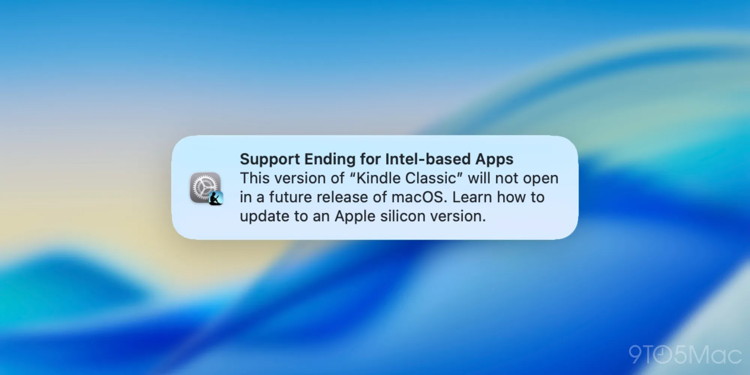
With macOS 26.4, Apple will also start warning users of the upcoming end of support for Rosetta 2. Apple had already announced that macOS 27 would be the last system version to support the company's transition layer from Intel to Apple Silicon. Starting with macOS 26.4, Apple will also start informing users whenever they open a Rosetta-dependent app that support will end soon.
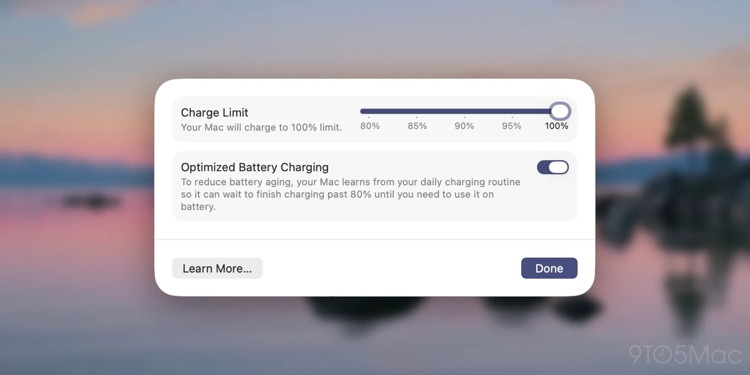
As for new features, macOS 26.4 adds the a Charge Limit setting that lets users cap the charge limit between 80% and 100%. This has been a popular feature in third-party apps for a while, but now users can adjust it natively.
If you use Freeform and subscribe to the new Creator Studio suite, macOS 26.4 brings access to premium images in the Content Hub, upscaling low-resolution images, and compatibility with OpenAI's image-generating model.
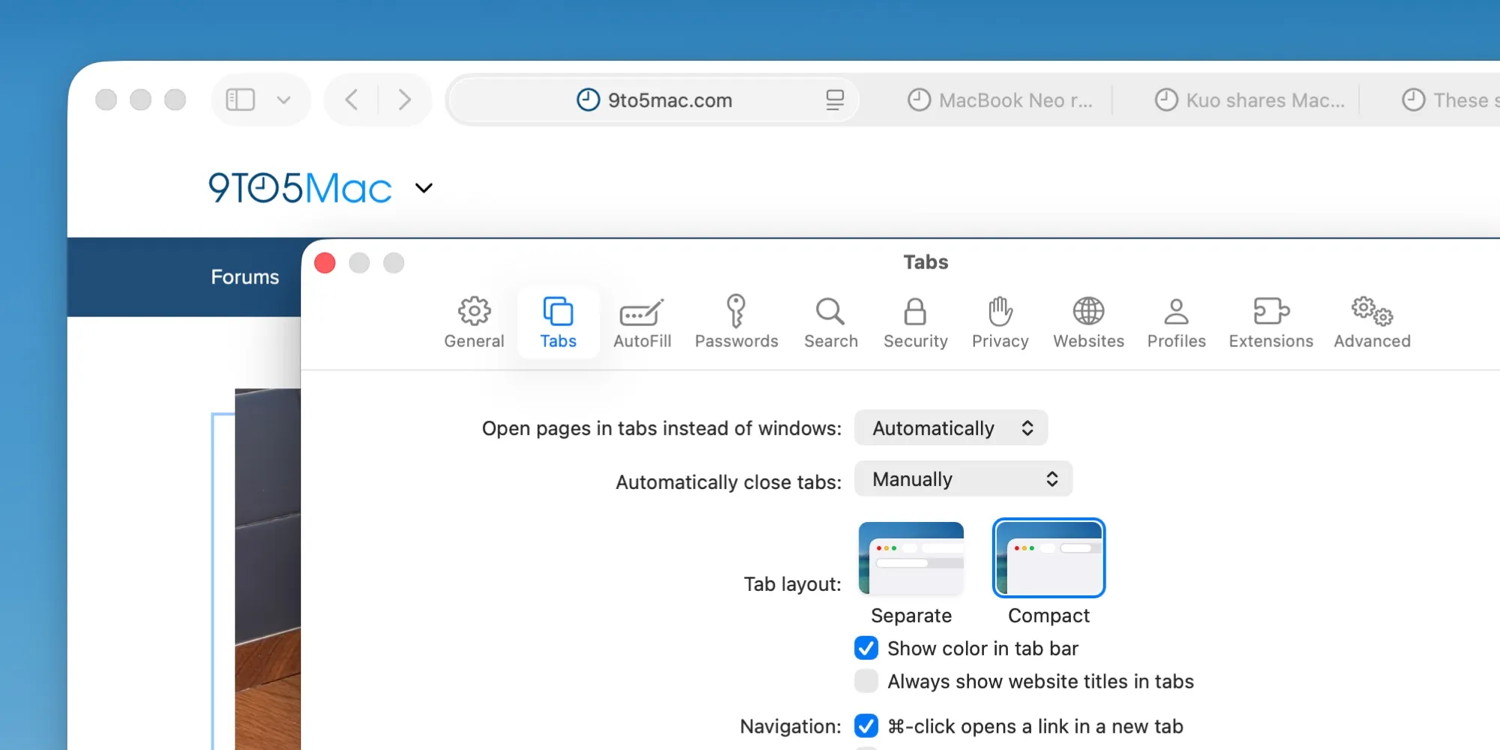
macOS 26.4 also adds the compact tab bar layout in Safari, which Apple removed when macOS 26 first came out. Now users get to once again choose between Separate and Compact.
In addition, macOS 26.4, alongside its counterparts, also adds the following features:
Reminders: In addition to marking reminders urgent via a keyboard shortcut, users can now also filter urgent reminders in Smart Lists.
Purchase Sharing: Family Sharing will no longer require all purchases to be charged to the credit card of the family organizer.
Subtitles and captions: these settings are now easier to find when viewing media, with a real-time preview available directly from the captions icon.
Apple releases iPadOS 26.4, here's everything new for iPad
by Ryan Christoffel, 9to5mac
iPad users, you can head to Settings ⇾ General ⇾ Software Update to install the latest software update: iPadOS 26.4.
iPadOS 26.4 offers a variety of new features spanning system features and built-in apps.
Apple Music received the most changes in today's update. There's a new Playlist Playground feature for building playlists with AI, concert info for artists and your local area, a new fullscreen design for albums and playlists, and more.
New emoji are another tentpole feature, with eight additions total: Ballet Dancer, Distorted Face, Fight Cloud, Hairy Creature, Landslide, Orca, Trombone, and Treasure Chest.
If you work with multiple windows often, iPadOS 26.4 adds a new 'Hidden Windows' popup to help ensure you don't lose track of open windows.
Your iPad Home Screen now has two new Ambient Music widgets available for convenient music playback. And the wallpaper gallery has been updated in iPadOS 26.4 too.
New features in built-in apps include:
Safari now lets you use a compact tab bar
Apple Podcasts introduces enhanced video features
Reminders adds an 'Urgent' smart list
Freeform gets new Apple Creator Studio-exclusive features
Apple's TV app makes it easy to customize subtitles
watchOS 8 and watchOS 5 get minor updates with iMessage fix
by Marko Zivkovic, appleinsider
Apple has issued new updates for some of its older Apple Watch operating systems, delivering a certificate fix for FaceTime and iMessage.
On Tuesday, alongside the release of the watchOS 26.4 and iOS 18.7.7 updates, new versions of watchOS 5 and watchOS 8 were made available to end users.
watchOS 8.8.2 increases the build number to 19U526, up from the preceding 19U512. The release is compatible with the Apple Watch Series 3 to the Apple Watch Series 7, and can also be installed on the first-generation Apple Watch SE. The Apple Watch Series 4 and newer are also compatible with watchOS 9, however.
The watchOS 5.3.10 update, meanwhile, bears the build number 16U711, up from 16U693. watchOS 5.3.10 is available for the Apple Watch Series 1 through Apple Watch Series 4.
Tuesday's software releases, like the watchOS 9.6.4 and watchOS 10.6.2 updates released in February 2026, include updated iMessage and FaceTime certificates. They're meant to ensure the two services remain operational on older Apple Watch models even after January 2027.
How to update watchOS via iPhone:
Ensure your watch is charged to 50% and connected to Wi-Fi
Apple releases rare iOS 18 update for all iPhone users, update now
by Chance miller, 9to5mac
As promised, Apple has released a new version of iOS 18 for all iPhone users. The update comes in response to the growing proliferation of a new exploit chain known as DarkSword.
Today's update comes in the form of a new build of iOS 18.7.7 with build number 22H340 for all iPhone models.
New iOS 18 security update now available
As we detailed last month, DarkSword is an exploit chain affecting iOS 18.4 through iOS 18.7 that was discovered by the Google Threat Intelligence Group, or GTIG. According to the GTIG, there are "multiple commercial surveillance vendors and suspected state-sponsored actors utilizing DarkSword in distinct campaigns.” It works by chaining multiple exploits together.
Apple first responded to DarkSword by releasing new versions of iOS 18, but only for iPhone models that can't run iOS 26. This update came in the form of iOS 18.7.7 and iPadOS 18.7.7 for iPhone XS, iPhone XS Max, iPhone XR, and iPad (7th generation).
There are, however, iPhone users with a device that can run iOS 26, but who have chosen not to update. These people remain exposed to the DarkSword exploit, as the last iOS 18 update released for all iPhones was iOS 18.7.3 in December.
As such, today's iOS 18 update is available for all iPhones still running iOS 18, whether they are supported by iOS 26 or not.
As Wired explains, this is something in the security industry referred to as "backporting a patch.”
Criticism of Apple's lack of backported patches for iOS 18 had grown over the past two weeks, as DarkSword proliferated among hacker groups that have used the tool for everything from espionage to cryptocurrency theft. According to Google, DarkSword has been used by various hacker groups to break into the iPhones of users in Malaysia, Saudi Arabia, Turkey, and Ukraine.
iPhone users who have auto-update enabled will automatically receive this iOS 18 update. In a statement to Wired on Tuesday, Apple said that it is releasing this update "so users with auto-update enabled can automatically receive important security protections.”
"We encourage all users with supported devices to update to iOS 26 to receive our most advanced protections,” Apple said.
Apple released the first batch of iOS 26 adoption numbers in February, saying that iOS 26 is installed on 74% of iPhones released in the last four years.
iPhone users can head to the Settings app, choose General, then choose Software Update to install today's iOS 18 security update. The update should be installed automatically if you have auto-update enabled on your device.
Here's how to backup your Apple devices on World Backup Day
by Ben Lovejoy, 9to5mac
There's a saying that there are two types of people in the world: those who have experienced major data loss and those who will experience major data loss. World Backup Day is a good time to ensure that you're protected against falling into the second category.
Fortunately, Apple devices make it very simple to keep them automatically backed up, but it is still worrying how many people fail to do so …
The risks of data loss
The personal data we store on our Apple devices can be literally priceless, with photos and videos the most obvious example. Imagine parents losing the video they shot of their toddler taking their very first steps, for example. Most of us have photos and videos that are only stored digitally and would be heartbreaking to lose forever.
There are many other types of data whose loss could cause us major problems. Imagine that your calendar data was lost and you now have no record of all your future meetings, appointments, and plans. What if you lost all your financial records and had to explain that to the IRS next tax season?
Other examples that could have major implications are losing all your stored passwords, Apple Notes, your stored emails, and even text messages with sentimental value.
One estimate suggests that around 140,000 hard drives fail every week. Another that 113 phones are lost or stolen every single minute.
'One is none, two is one'
Another IT saying is that "one is none and two is one.” In other words, having a single copy of your data can instantly turn into no copies when your media fails. Having two copies can very quickly reduce you to having just one in the same circumstances.
Best practice is to have at least three copies of your important data, with one of them stored remotely. Fortunately, cloud services make this extremely easy to achieve, with zero effort after initial setup.
How to back up your iPhone and iPad
The simplest and most popular way to back up your iPhone and iPad is to iCloud. Since Apple inexplicably still limits the free tier to just 5GB, you will need a paid subscription to do this.
Open the Settings app, tap your name at the top of the screen, then iCloud > iCloud Backup. Make sure that "Back Up This iPhone” is toggled on. If it's not, then toggle it on and then tap the Back Up Now button.
If you don't yet have a paid iCloud+ subscription, then Settings > iCloud and scroll down to "iCloud+ features” and tap the Manage Plan button.
One decision you'll need to make is whether to back up over mobile data or wait until you're on a Wi-Fi connection. So long as your device is connected to Wi-Fi whenever you're at home, this will be good enough for most people. However, if you have either unlimited data or a generous data plan, then toggling on the option to back up over mobile data is the safest course.
While you're within the iCloud section, check the Saved to iCloud panel and tap See All. Make sure that all the data you want to protect is toggled on. This includes photos, email, password, notes, messages, calendar, contacts, reminders, and more. This ensures that all of these data categories are saved to iCloud independently of your iPhone backups.
As an alternative or supplement to an iCloud backup, you can back up an iPhone to your Mac, and you'll find instructions for that here. Bear in mind that a local backup to a device stored in the home with your iPhone leaves you vulnerable to losing all your data in the event of a house fire or natural disaster. Other options include third-party apps and external drives for iOS devices, as well as third-party cloud services like Dropbox.
However, iCloud backup is strongly recommended because it's a "set it and forget it” feature.
How to backup your Mac locally
Again, Apple makes automatic backups extremely easy to achieve.
Time Machine is a powerful automated backup feature for Macs. If you don't already have a Time Machine backup, then all you need to do is connect a sufficiently large external drive to your Mac and you will be asked whether or not you want to use it for Time Machine.
One of the key features of Time Machine is that it creates what are called versioned backups. That is to say, it keeps incremental backups for various periods of time, not just the current content of your Mac. This feature comes into its own when you delete a file and later realize that you still need it. Time Machine is so named because you can go back in time within any folder and find a backup version before you deleted the file.
The larger the external drive you use, the more versions will be retained. As a minimum, you want to choose a drive that is at least twice as big as the capacity of your Mac's SSD, but more is better.
You can save money by using a spinning metal hard drive over an SSD. The initial backup will take longer, but it will easily keep up after that. Hard drives are significantly cheaper than SSDs, meaning that it will be affordable to use one that has four or even eight times the capacity of your Mac for very extensive versioned backups.
If you want to be even more careful, you can use more than one external drive for Time Machine backups, and your Mac will automatically alternate between them.
Cloud backups of Macs
However, our earlier cautionary note about the risks of having only a locally stored backup still apply here. It's strongly advisable to use a cloud service to store copies of your most vital files.
In most cases, it's your desktop and documents folders you'll want to back up to the cloud. Apple has comprehensive instructions for doing this with iCloud in this support document.
You can also use third-party cloud services. I personally use Dropbox and ensure that all of my documents are stored within the top-level Dropbox folder.
This not only means that everything is automatically backed up to the cloud, but also that I have remote access to any documents I may need while away from my Mac. There's an optional versioned backup add-on which I have enabled, working in a similar way to Time Machine.
Apple introduces privacy rules for third-party access to notifications
by Marcus Mendes, 9to5mac
Apple has updated its Developer Program License Agreement with new rules on how third-party accessories must handle forwarded notifications and Live Activities. Here are the details.
A bit of context
Earlier today, we reported on new code introduced on iOS 26.5 beta 1 that pointed to upcoming Live Activities support for third-party accessories in the EU.
In conjunction with the notification forwarding feature, which will allow third-party accessories to display iPhone notifications, this will be exclusive to EU users as part of the interoperability requirements of the Digital Markets Act.
Last year, published a statement on its Newsroom, arguing that the DMA would not only cause delays for rollouts of new features in Europe, but also introduce "new privacy and security threats.” Here's Apple:
"The DMA also lets other companies request access to user data and core technologies of Apple products. Apple is required to meet almost every request, even if they create serious risks for our users.
So far, companies have submitted requests for some of the most sensitive data on a user's iPhone. The most concerning include:
The complete content of a user's notifications: This data includes the content of a user's messages, emails, medical alerts, and any other notifications a user receives. And it would reveal data to other companies that currently, even Apple can't access.”
In other words, Apple argued that while it designed iOS so that it cannot access the contents of notifications, the same wouldn't be true for third-party devices if it were required to open that data up to them.
As of today, that argument hasn't prevailed, and Apple is working to open up this access as required by the DMA.
Apple announces strict rules for notification and Live Activities forwarding
Earlier tonight, Apple updated its Developer Program License Agreement with, among other things, a new section: 3.3.3 (J), Accessory Notifications Framework and Accessory Live Activities Framework.
In it, Apple states that third parties "may not use Forwarding Information for advertising, profiling, training models, or monitoring location,” nor are they allowed to "disseminate the Forwarding Information to any other Application, or any other device” other than the third-party accessory the user has configured to receive such information.
The terms also state that:
Accessories cannot share this data, or the encryption keys tied to it, with any other device, including the user's own iPhone.
They also cannot change the content in a way that alters its meaning, beyond what might be necessary to display it properly.
Developers are prohibited from storing this data remotely, such as on cloud servers, except when strictly necessary to deliver it to the accessory.
The data can only be decrypted on the accessory itself, and nowhere else.
Finally, Apple reminds developers that apps don't need to support the system for their data to be shared with third-party accessories, as this will be controlled by a user-level setting.
To read Apple's updated Developer Program License Agreement, follow this link.
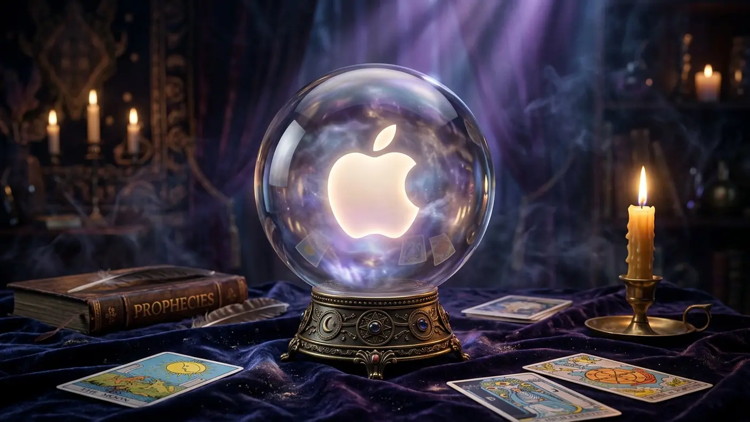
Apple just finished its first 50 years, making this an ideal opportunity to look ahead to what we can expect from the next five decades.
Having watched the company progress from the Apple II to the iPhone, I'm as qualified as anyone to peer into the future of computing. Here's what we can look forward to.
Predicting Apple's future is a dicey business
My decades of experience writing about technology have taught me that predicting the future of tech is challenging. Projections can be wildly over-optimistic, so they include flying cities on the moon. But they can also be not optimistic enough, so they miss out on important changes. There's no better example than the forecast that computers would someday need to be the size of a city block to be useful.
I'll try to walk a middle road. And tracking Apple for all these years will certainly help.
Apple's next ten years: Foldables
In the near term, Apple will still continue to improve some of its current products without significant modifications. The iMac isn't expected to get an OLED screen until 2029 at the earliest, for example. And the Mac mini will simply get faster processors year after year.
But there are a couple of big near-term changes coming to some of Apple's signature products: foldable displays and more touchscreens.
The first iPhone with a folding screen is expected this fall. I predict it'll be a huge hit because Apple has a long history of turning other companies' failures into mainstream success. Users will love the iPhone Fold's large screen so very much that it'll be followed by annual updates until the foldable is eventually the standard iPhone design.
At about the same time, Apple will add a touchscreen to the top-of-the-line MacBook Pro. With touchscreens on our iPhones and iPads, it's only natural that the tech comes to MacBooks. Again, this will become a mainstream feature after a few years… and a lot of UI improvements.
In about five years, we'll get a computer with a 20-inch folding screen. No keyboard — it's all touchscreen. Whether it's macOS or iPadOS might not matter much, with Apple continuing to port features between these operating systems. Again, the appeal here is the very large screen in a portable computer.
Apple 2036 to 2046: Smart glasses
What will likely be the dominant technology 10 to 20 years from today has already taken its first steps, and will continue to improve for years: smart glasses and visionOS.
Currently, some people mistake Apple's Vision Pro headset for a flop. It's not. It's a peek into Apple's future. The software is amazing, but we can't make the hardware small enough for full-featured smart glasses running visionOS to be practical. Not yet. Apple is working on it, though.
The most consistent trend over Apple's first 50 years was devices shrinking in size while becoming more powerful. That will continue, and somewhere around 2036, a computer more powerful than today's MacBooks will fit in a pair of glasses.
And even before that happens, smart glasses will start replacing iPhones, iPads and Apple Watches. These glasses will be able to overlay virtual screens anywhere around the user, making carrying around a phone or tablet unnecessary. And as smart glasses grow more powerful, they will become the only computer we need.
This will be Apple's dominant product for at least a decade, replacing everything else. As Steve Jobs once said, "It's better to cannibalise your own products than let someone else do it.”
Apple 2046 to 2076: Tone down your expectations
I'm not so full of hubris as to think I can accurately predict exactly where computers will go 30 to 50 years from today. But my long experience shows me where they aren't going.
Apple's first 50 years took us from klunky desktop computers to sleek smartphones, and that's an amazing improvement. But when it comes right down to it, an iPhone is a Macintosh that fits in a pocket. It's not an utterly different device — someone in 1986 who's familiar with a Macintosh could use an iPhone with a couple of minutes of instruction. It's essentially tapping icons, not clicking on them. Just with a lot more features.
So I don't see future Apple products dropping the now-traditional graphical user interface for voice control or brain scanning or some other sci-fi dream. The icons will be on virtual displays projected by smart glasses — and maybe someday contact lenses — but they won't go away.
And while AI will bring many changes, the tech will have similar effects as the internet — it'll alter the way we do things, not what we do. That's because the people of 50 years from now won't be radically different from today. We'll still want to do the same sorts of tasks that we do with computers now.
So forget about silly predictions of AIs surgically implanted into our brains. We also won't be arguing over whether AIs in humanoid robot bodies deserve the right to vote. We're just going to have smaller, faster computers with AI features. And the best of these will be made by Apple.
Apple reportedly replacing Siri interface with actual chatbot experience for iOS 27
By Zac Hall. 9to5mac
Apple reportedly plans to make a major pivot with Siri in iOS 27. According to Mark Gurman at Bloomberg, Apple is developing its first chatbot with a version of Siri that will replace the existing experience.
From Bloomberg's latest report, detailing a major directional shift for Apple's AI efforts:
Apple Inc. plans to revamp Siri later this year by turning the digital assistant into the company's first artificial intelligence chatbot, thrusting the iPhone maker into a generative AI race dominated by OpenAI and Google.
The chatbot — code-named Campos — will be embedded deeply into the iPhone, iPad and Mac operating systems and replace the current Siri interface, according to people familiar with the plan. Users will be able to summon the new service the same way they open Siri now, by speaking the "Siri” command or holding down the side button on their iPhone or iPad.
The key distinction between Siri as it has existed since 2011 and this newly reported version is that it will adopt the chatbot style of interaction popularized by ChatGPT.
The unannounced Siri overhaul will reportedly be revealed at WWDC in June as the flagship feature for iOS 27 and macOS 27. Its release is expected in September when Apple typically ships major software updates.
While Apple plans to release an improved version of Siri and Apple Intelligence this spring, that version will use the existing Siri interface. The big difference is that Google's Gemini models will power the intelligence. With the bigger update planned for iOS 27, the iOS 26 upgrade to Siri and Apple Intelligence sounds more like the first step to a long overdue modernization.
Gurman reports that the major Siri overhaul will "allow users to search the web for information, create content, generate images, summarize information and analyze uploaded files” while using "personal data to complete tasks, being able to more easily locate specific files, songs, calendar events and text messages.”
Apple doesn't grant existing chatbots this level of system access. Gurman shares additional details of how Apple's OS will integrate with the "new new” Siri:
More significantly, Siri will be integrated into all of the company's core apps, including ones for mail, music, podcasts, TV, Xcode programming software and photos. That will allow users to do much more with just their voice. For instance, they could ask Siri to find a photo based on a description of its contents and edit it with specific preferences — like cropping and color changes. Or a user could ask Siri within the email app to write a message to a friend about upcoming calendar plans.
People are already familiar with conversational interactions with AI, and Bloomberg says the bigger update to Siri will be support both text and voice. Siri already uses these input methods, but there's no real continuity between sessions.
iOS 26.4 adds convenient new iCloud feature, here's how to enable it
yan Christoffel, 9to5mac
iOS 26.4 launched last week with new features for Apple Music, Podcasts, and a lot more. There's also a new iOS 26.4 feature that makes iCloud on the web more useful than before thanks to the addition of search. Here's how to enable it.
Apple's web services usually lag behind native apps, but iOS 26.4 helps close the gap
Most major tech companies prioritize web access for their services. For example, Google's services are all optimized for the web, with app versions typically secondary priorities.
With Apple, the reverse has always been true. Apple prioritizes apps on its platforms, and while it sometimes offers web versions too, those interfaces tend to lag behind the native apps.
This makes sense, since the average person using an Apple service is highly likely to do so on an Apple device. And on Apple devices, native apps offer the best user experience.
But in iOS 26.4, Apple has a key upgrade for iCloud.com that makes the web version of iCloud more useful than before: search is now available for files and photos.
iOS 26.4 upgrades iCloud․com with new search feature
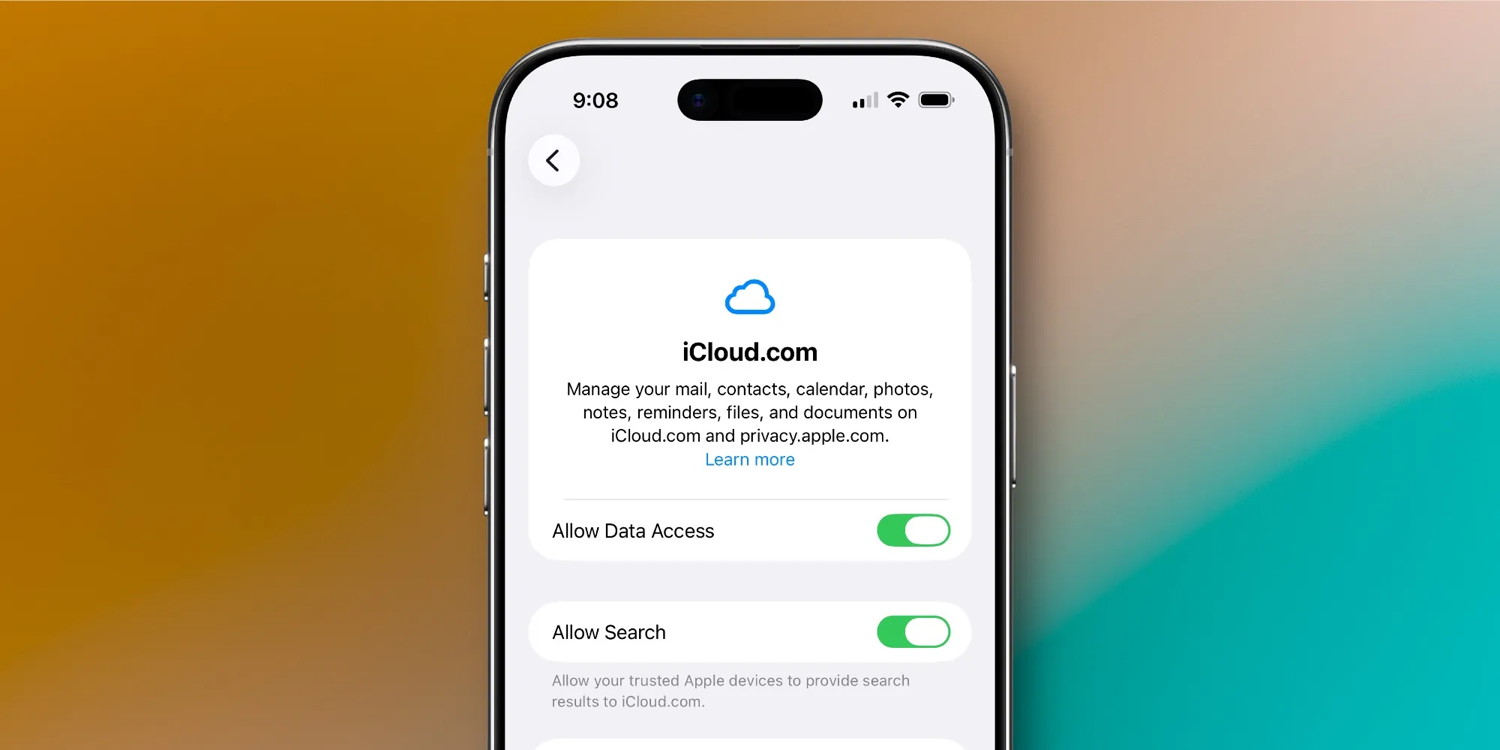
iOS 26.4 adds a new 'Allow Search' toggle, off by default, that when enabled will let you search for files in iCloud Drive or photos in iCloud Photos via the web.
From Apple's support document:
Starting in iOS 26.4, if you turn on data access for iCloud․com, you can also turn on Allow Search. This lets you search your files in iCloud Drive or your photos in iCloud Photos on iCloud․com. To help you find what you're looking for, when you type in the search field you can see suggestions for:
filenames, folder names, and document types, for iCloud Drive.
dates, people, and locations, for iCloud Photos.
When you search Photos and Drive, your searches are encrypted and use on-device processing, so no search history is kept on Apple servers.
For web-first services like Google Drive and Google Photos, search is an absolute essential. But for Apple, the company previously only offered search in the native Files and Photos iOS apps.
Now though, you can get a full search experience on iCloud․com for files and photos, very much like the native apps offer.
You can enable iCloud․com file and photos search by following these steps:
Open Settings on your iPhone
Tap your name at the top
Tap 'iCloud'
Scroll down and hit 'iCloud․com'
Toggle 'Allow Search' on
Confirm 'Allow' on the popup
This toggle needs to be manually enabled on each device that you want providing search results to iCloud․com. Though if you're like me and your devices all sync the exact same files and photos, just enabling the toggle once on your iPhone will suffice.
Anyone with an all-Apple setup probably still won't need to use iCloud․com very often. But if you work on Windows or Android devices regularly, this new feature is a welcome addition.
New AirPods Pro and AirPods firmware update fixes bugs
by Ed Hardy, cultofmac
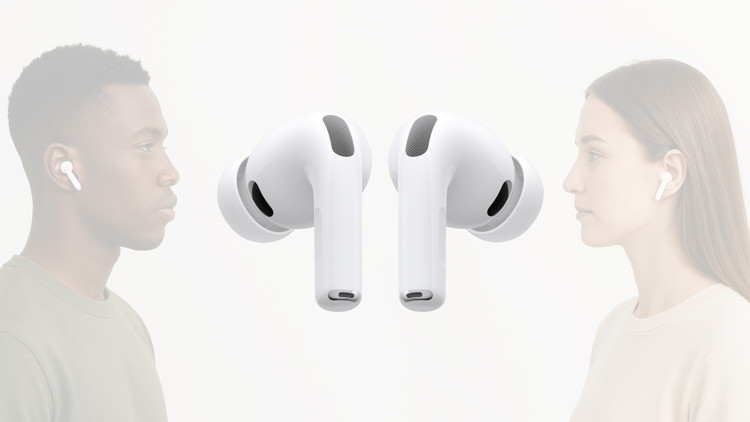
Apple released new firmware for AirPods Pro 3, AirPods Pro 2 and AirPods 4 this week. The new version, 8B39, offers bug fixes for these in-ear headphones.
Last year, Apple finally explained exactly how to update your AirPods firmware. The process can happen automatically, in the background, but there is a way to speed things up. It's a good idea to manually check that you're running the latest version, which brings bug fixes and sometimes great new features.
Read on for more details, and find all current AirPods firmware versions, along with instructions for getting the AirPods update as quickly as possible.
How to update AirPods firmware
Apple periodically releases new AirPods firmware with improvements and bug fixes. It's well worth installing these updates because they remove problems and sometimes contain significant new features. There's no better example than the firmware update released last September that brought in Live Translation with AirPods to some older models.
Apple typically doesn't bother to announce AirPods firmware updates. However, the company does publish release notes so users know what's changed. Apple's descriptions of the changes in 8B39 promise simply, "Bug fixes and other improvements.”
When you hear about an AirPods firmware update, you can force it to update by following the process described below. If you don't want to bother, just know that firmware updates are also conducted automatically when your AirPods are charging and within Bluetooth range of an iPhone, iPad or Mac that's connected to Wi-Fi.
Apple TV Joins Roku: What This Streaming Deal Means
by Gadget Hacks, gadgethacks
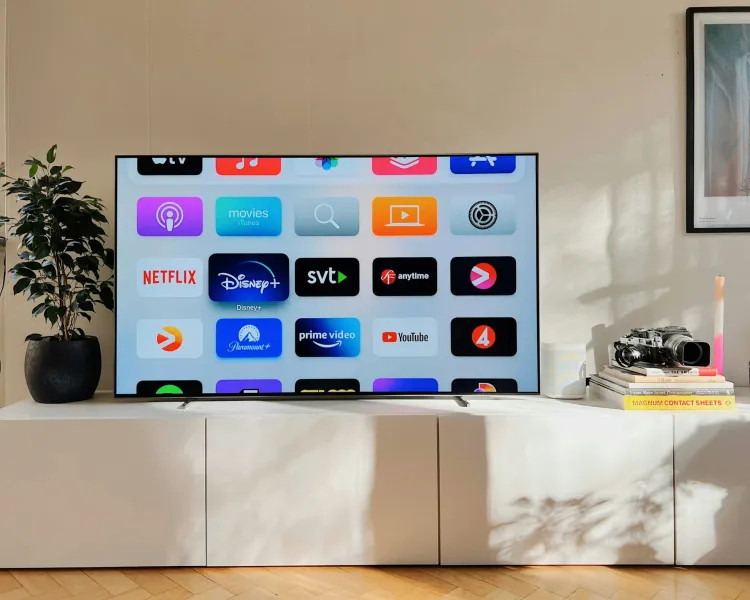
When Apple TV joined Roku's Premium Subscriptions lineup this week, it wasn't just another distribution deal - it was a strategic acknowledgment that the streaming landscape has fundamentally shifted. Apple TV has become one of more than 70 services in Roku's curated subscription offering, making Apple's premium content significantly more accessible to Roku's platform that's expected to exceed 100 million households this year.
This partnership follows Apple's similar deal with Amazon Prime Video from October 2024 and represents something much bigger than simple content distribution. For years, Apple tried controlling the aggregation game entirely through its own "Apple TV Channels" initiative, but that effort never gained traction due to limited streaming partner participation. Now, the company's embracing established aggregators - a pragmatic pivot that benefits everyone involved.
Apple TV unveils new thriller from Steven Spielberg, Martin Scorsese
by Ryan Christoffel, 9to5mac
Apple TV's Cape Fear is a new thriller series coming this summer from producers Martin Scorsese and Steven Spielberg, and the first trailer has just debuted.
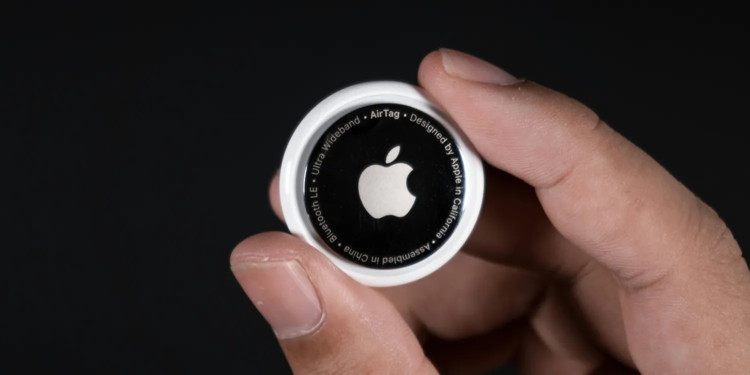
Apple just changed AirTag 2's anti-stalking feature
by Ryan Christoffel, 9to5mac
Apple shipped new AirTag firmware yesterday, the first update since AirTag 2 launched earlier this year. And now thanks to official release notes, we know that the new firmware improves AirTag's anti-stalking feature.
New AirTag firmware changes the unwanted tracking sound to make finding unknown AirTags easier
When the first AirTag launched in 2021, it quickly became popular for tracking luggage, keys, and other important items.
Unfortunately, AirTag was also used by bad actors for unwanted tracking of other people.
Apple later instituted anti-stalking measures. These include sending iPhone notifications to the person being unknowingly tracked, and playing using the AirTag speaker to aid detection.
AirTag 2 was upgraded with an improved speaker that Apple says is up to 50% louder. This is great for anyone looking for a lost AirTag, but it also benefits those searching for an AirTag they don't own.
And in the new AirTag firmware release notes, Apple reveals that it has made a change to the noise that plays when an unwanted AirTag is detected.
AirTag Firmware Update 3.0.45
Updates the unwanted tracking sound to more easily locate an unknown AirTag during Precision Finding.
Bug fixes and other improvements.
Though the release notes don't specify models, as far as we're aware this change only applies to the new AirTag 2, not the first-gen model.
I haven't yet had the opportunity to find an unwanted AirTag traveling with me, so it's unclear how exactly Apple has updated the noise.
It's possible that it's louder than before. Perhaps the tone has been modified to be easier to hear at a distance. Or some combination of both.
Whatever the specifics may be, Apple clearly believes the updated sound will make it easier for users to find unwanted AirTags.
Apple at 50: How the company's shift into health changed my life at 25
by Zac Hall, 9to5mac
April 1, 1976: 50 years ago, Apple was founded. 40 years later, to the date, I was a 25-year-old embarking on a health and fitness journey, and Apple was right at the core.
April 1, 2016: I started an Apple Watch workout streak that helped guide me to running. I'd never run in my life at 25, but I started closing rings on my watch with a used elliptical at home. By fall, I was running, and by New Year's Day, I had lost 50 pounds.
April 1, 2017: I ran my first-ever 5K race. It was the "2017 Superintendent's 5K Challenge: A Race for Education” in Miami, Florida. My 3.1-mile run time clocked in at 26 minutes 46 seconds with an 8-minute, 36-seconds pace per mile. I ranked 151 out of 2231 participants.
Apple Watch is a symbol for living a better day
Exercising with an elliptical to close my rings on the Apple Watch helped me get in shape and run my first mile. Getting comfortable running a mile pushed me to participate in that first 5K race.
Soon after, I was signing up for every 5K race I could find. 10K races followed, then half-marathon races. I completed seven of those 13.1-mile races before the pandemic rolled around and I slowed down.
Lately, the urge to run has started to return. I ran a couple miles on Monday evening and that felt pretty good.
Maybe I'll keep it up and report back, but no promises. I'm pretty satisfied with daily dog walks and longer adventures on weekends.
Still, Apple Watch and the Apple Health ecosystem keep me aware of my own well-being in a way that I just didn't consider before the watch arrived in April 2015.
The Apple Watch, to me, is a symbol for unlocking the ability to live a better day. What that means specifically may change throughout your life: from run tracking to sleep tracking and everything in between.
Now, as Apple turns 50, it's their focus on health over the last decade that I feel most on a daily basis.
Apple Health is just getting started
It's not just the Apple Watch either. I log my weight and other data with a smart scale that syncs to my iPhone. I'm tracking my blood pressure in the same way.
And reviewing all the data with the Health app on iPad is a great way to discover new insights and trends surfaced by Apple.
You also don't get the Apple Watch without the iPhone, and you don't get the iPhone without the Mac.
The Mac and iPhone are where I regularly process my thoughts with the Journal app, which has proven just as important as movement for me recently.
A lot of life has happened for me between 25 and 35, and I'm certain it would have been a whole lot harder without Apple's focus on health over a decade ago.
I feel stronger and more capable at 35 than I did at 25, and Apple's health and fitness technology has been key in making that possible.
As Apple turns 50 now, it's also impressive to think about what difference the company still had to make at 40.
You can't help but be excited for the future when you think about just how much of Apple's impact happened in the second half of its 50 years as a company.
The first computer can be traced back to Adam and Eve. It was an Apple that barely had any memory. One byte, and everything crashed.
(It probably ran on Python)
Malware Examples *
by Ron Sharp and Robert Elphick, MAGIC *
Here are some tips if you do respond to a scam email. Call your bank. Put a stop payment on your charge card if it is involved. Change your account password for whatever accounts are involved. If it's a PayPal account, log into that account and change the password. If you use a bank account online change that password. You can also set up email "rules" to block email from the sender if their email address shows. If you use Apples Mail app you'll find the "Rules" options in the Mail app Settings. You should also change the password to your email account that the scam email came to.
Several emails like this have recently surfaced A close look at the from address reveals that they are malware DO NOT CLICK.
SPAM - Anything To "undisclosed recipients" (red arrow) is suspicious DO NOT RESPOND.
<
From address is not from WhidbeyTel (red arrow) The copywrite is also suspicious DO NOT RESPOND.
From address is not from WhidbeyTel (red arrow) DO NOT RESPOND.
From address is not from quickbooks (red arrow) DO NOT RESPOND.
Internet Crime
Any one bothered by internet criminal activity should report it to the Federal Bureau of Investigation Internet Crime Complaint Center (IC3) at this web page. This includes phishing, malware, spoofing, any demand for money.
Sell or Swap
by MAGIC
Got something you would like to sell or give away? Need something second hand or out of date? Contact MAGIC at this email .
FREE STUFF
Also A LOT of blank floppy discs (3.5x3.5), ZIP discs and CDs.
And a ZIP drive and a floppy drive.
I read about quantum science in the recent Apple Magazine. It appears that quantum mechanics has been engineered to use for security when used with Passkeys. Passkeys are a replacement for passwords. With passkeys two parties store half an encryption code. They have to match up before access is allowed. When quantum science is used with passkeys then any attempt to intercept the information causes a disruption that is detectable, revealing an intrusion.
Overall I think passkeys are a real improvement. Passwords not only can be hacked but the worst part is it's so difficult to keep track of all the passwords that we are forced to use. With passkeys we won't have to remember a zillion different passwords and have to update them continually.
Quantum computers can also be incredible achievements. They are currently being created and tested and should offer impressive computing speed, if they can work out all the details and make them reliable. I wonder, though, if the rush to capitalize on technology is pushing the science before it's reliably useful. I feel this about AI as well. Progress is great as long as it's not risky. I imagine a divide in our communities where a large part of us start to avoid the rush into new technology.
Critiques have reproached Apple for their delays with AI on their devices but I appreciate their thoughtfulness and attention to security. I appreciate the option to turn AI off. At least until it becomes a much more proven and refined technology.
MAGIC, the Macintosh Appreciation Group of Island County, serves people who use Macintosh computers, software and peripherals. Our goal is to share information and get answers to questions to make us more productive with our use of technology. Our monthly meetings give us a chance to discuss computer problems and share ideas with other Mac users, feature speakers on specific topics, and to keep apprised of Apple news.